
In rare cases, your video may flash green or turn completely green during a call. This is usually caused by a browser setting called hardware (graphics) acceleration, which pushes your computer to perform beyond what it can handle. Turn it off to fix the problem.
How to fix green video in Chrome
- Open Chrome.
- Click the three dots (⋮) in the top right corner.
- Select Settings.
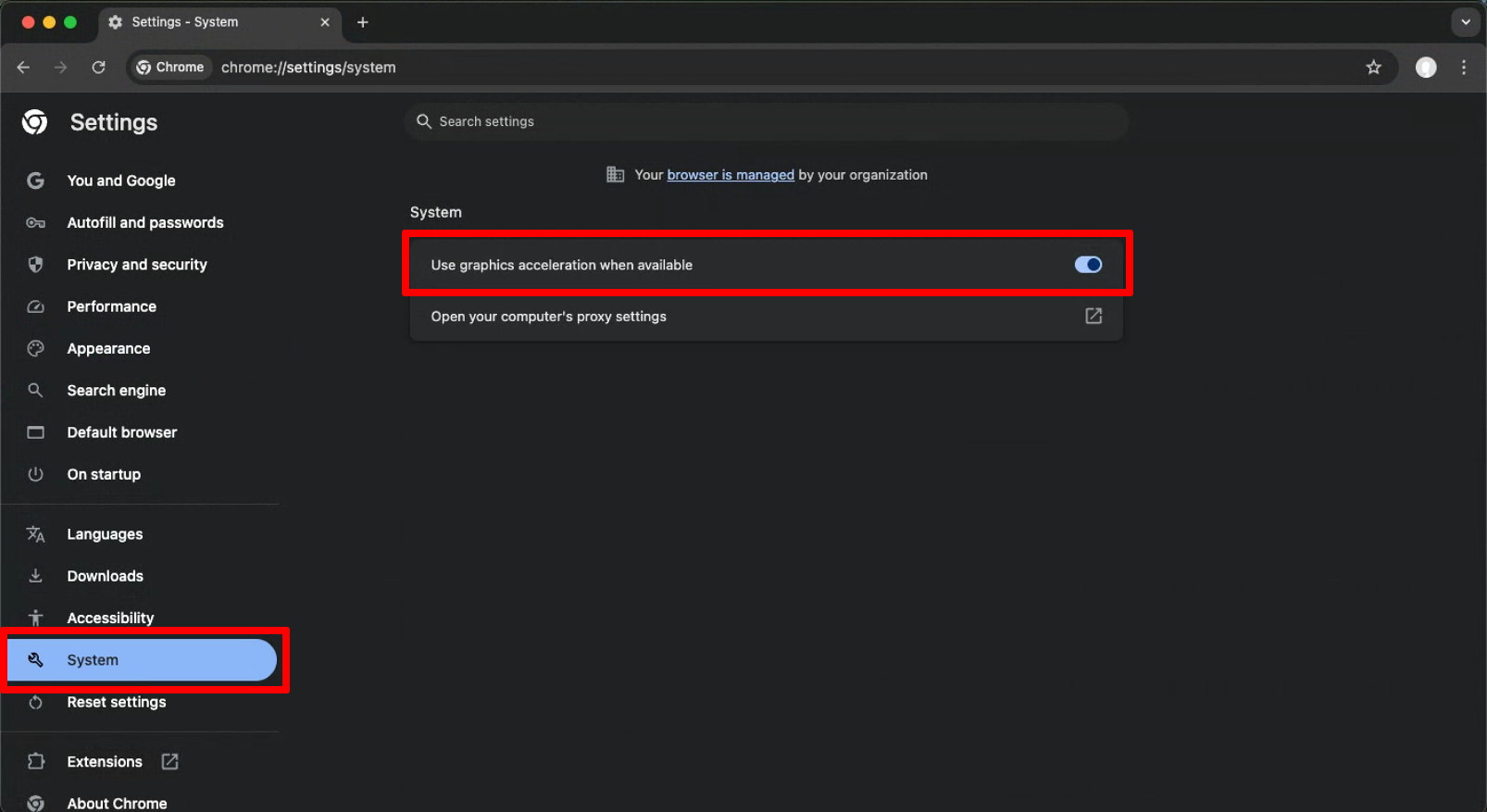
- Click System in the left sidebar.
- Turn off Use graphics acceleration when available.
- Restart Chrome.
How to fix green video in Firefox
- Open Firefox and click the Menu button (≡) in the top right corner.
- Select Settings.
- Choose General in the left sidebar.
- Scroll to Performance.
- Uncheck Use recommended performance settings. More options appear.
- Uncheck Use hardware acceleration when available.
- Restart Firefox.
Frequently asked questions
What causes a green screen during a video call?
Usually the browser's hardware acceleration setting. Turning it off and restarting the browser fixes it.