
If you see a message that your camera is being used by another app, or the error "We can't access your camera and microphone", your Mac may be blocking your browser. Follow these steps.
How to allow camera and mic access on macOS
- Open System Settings.
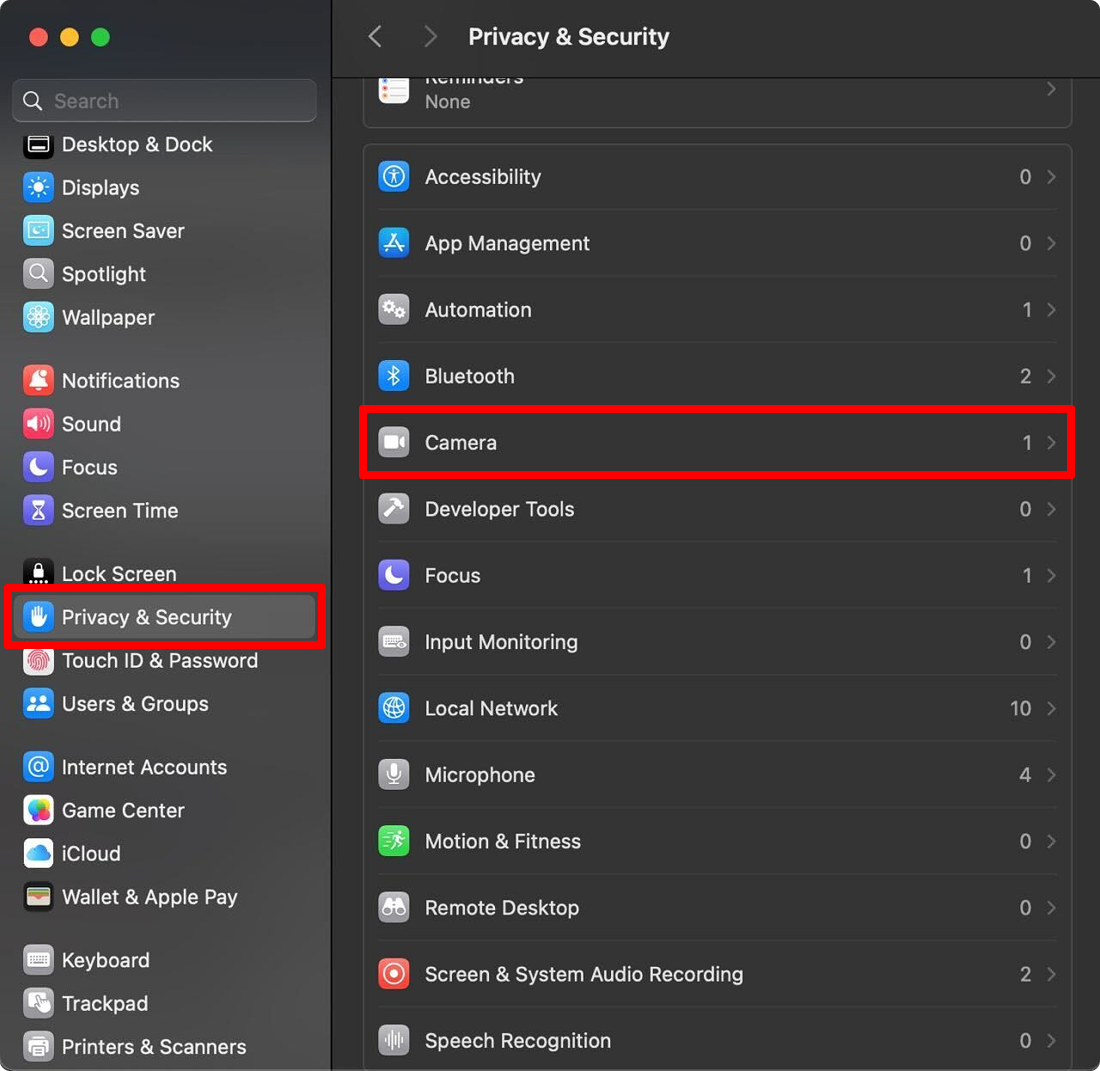
- In the left panel, click Privacy & Security.
- Select Camera or Microphone.
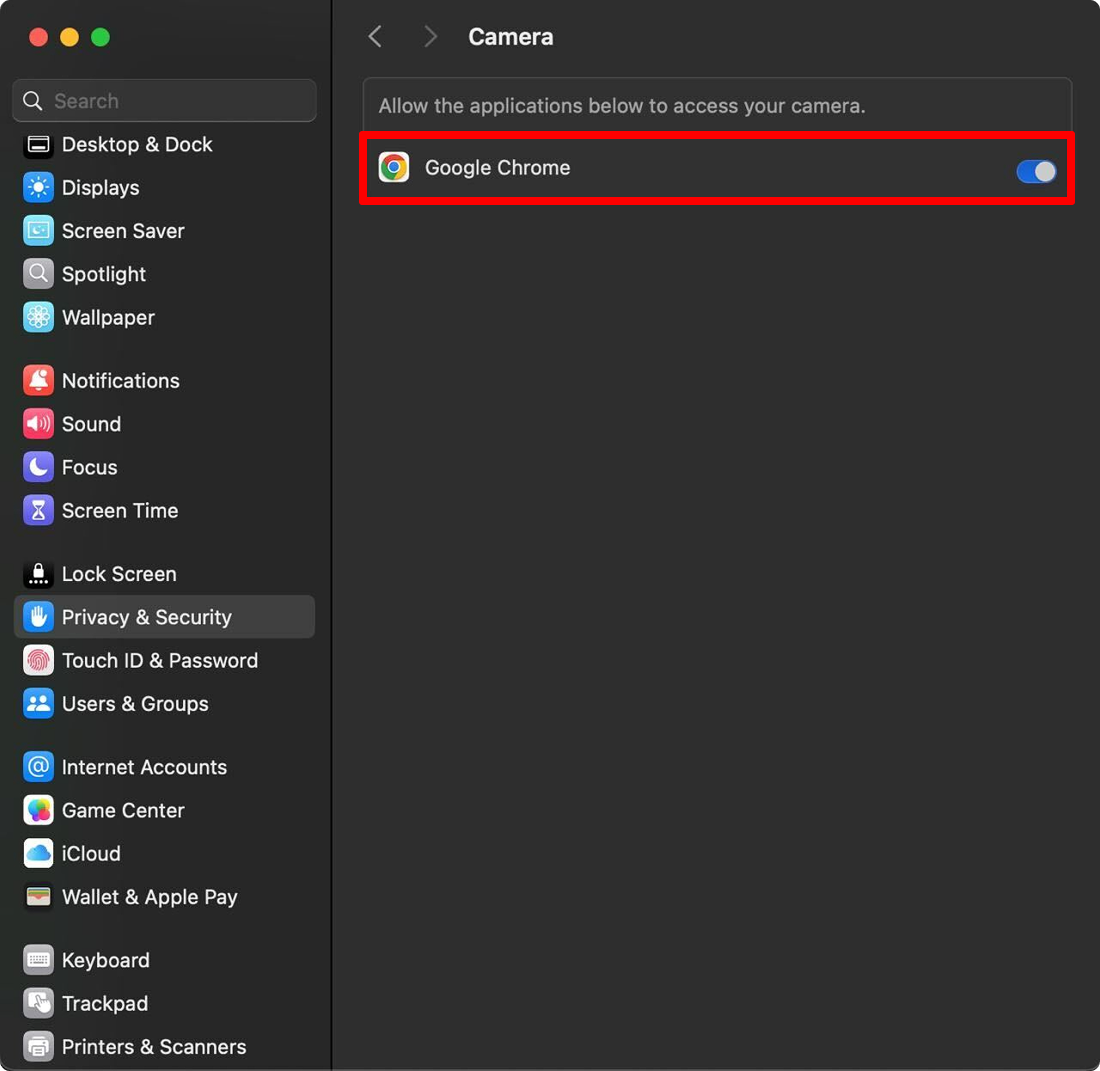
- Turn on the toggle for your browser (for example, Chrome, Safari or Firefox).
- Restart the browser.
Frequently asked questions
Why does my Mac say the camera is in use by another application?
macOS may be blocking your browser, or another app may be using the camera. Allow your browser in Privacy & Security and restart it.