
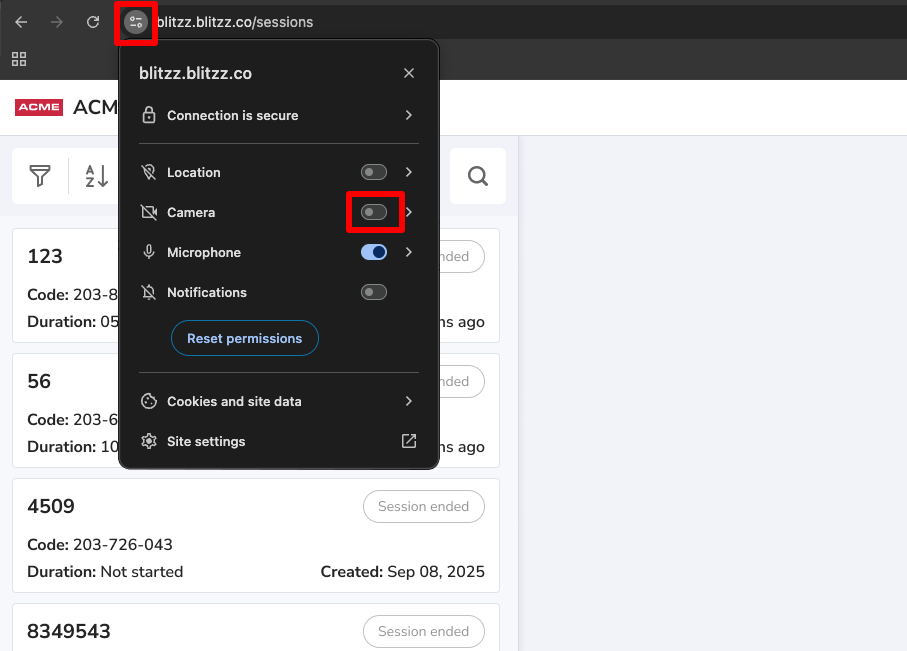
Agents can stop the browser from accessing their camera. Use these steps in Chrome.
How to turn off camera access
- Click the Tune icon in the address bar.
- Find Camera in the menu.
- Turn the Camera toggle Off.
- Refresh the page.
Frequently asked questions
How do I turn my camera back on?
Open the Tune icon again, turn the Camera toggle On and refresh the page.