
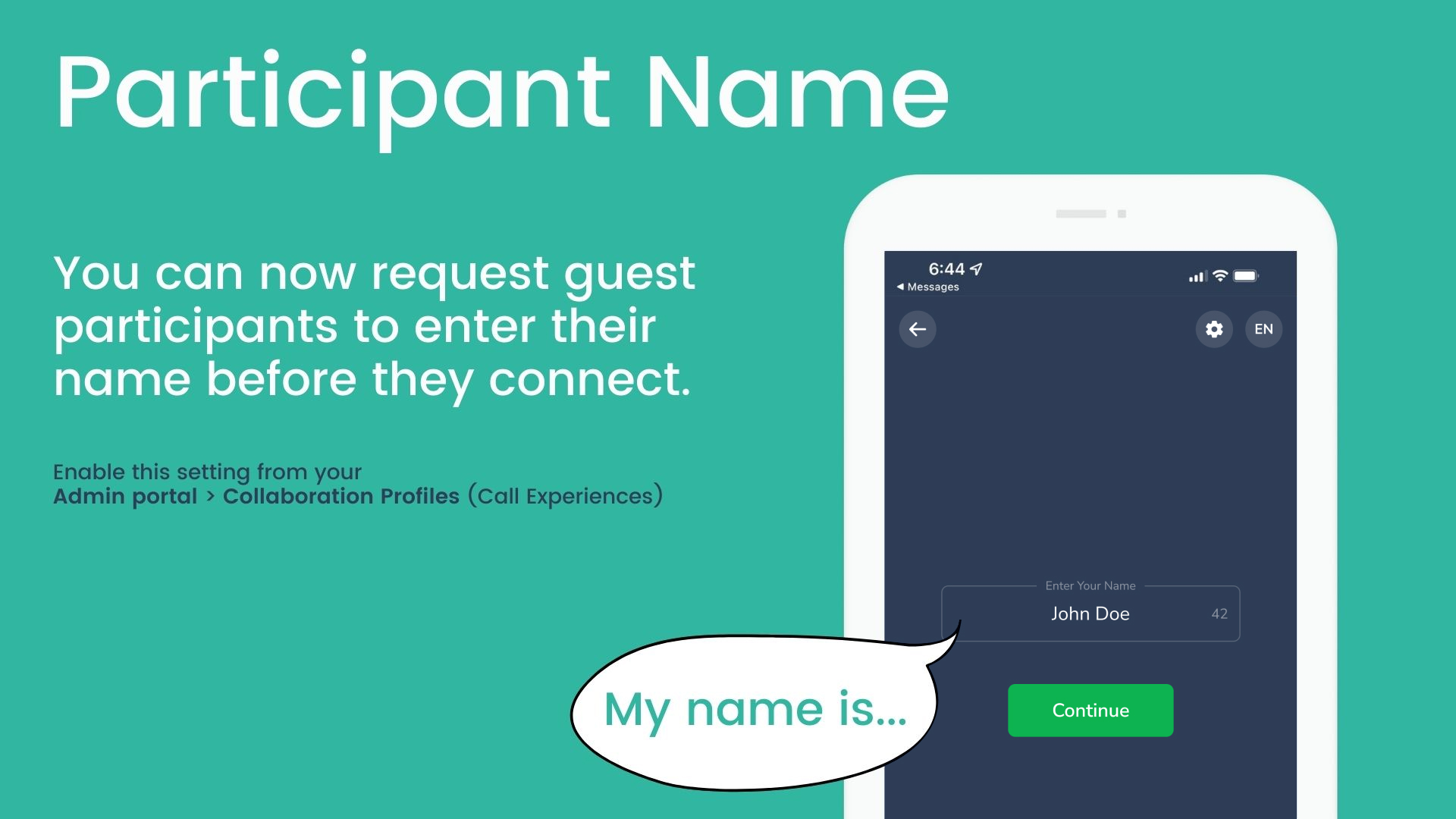
You can ask guests to enter their name before they join a call. Turn this on in your Collaboration Profile settings.
Privacy: Only the host (agent) sees participant names. Guests don't see any participant names, including the host's.
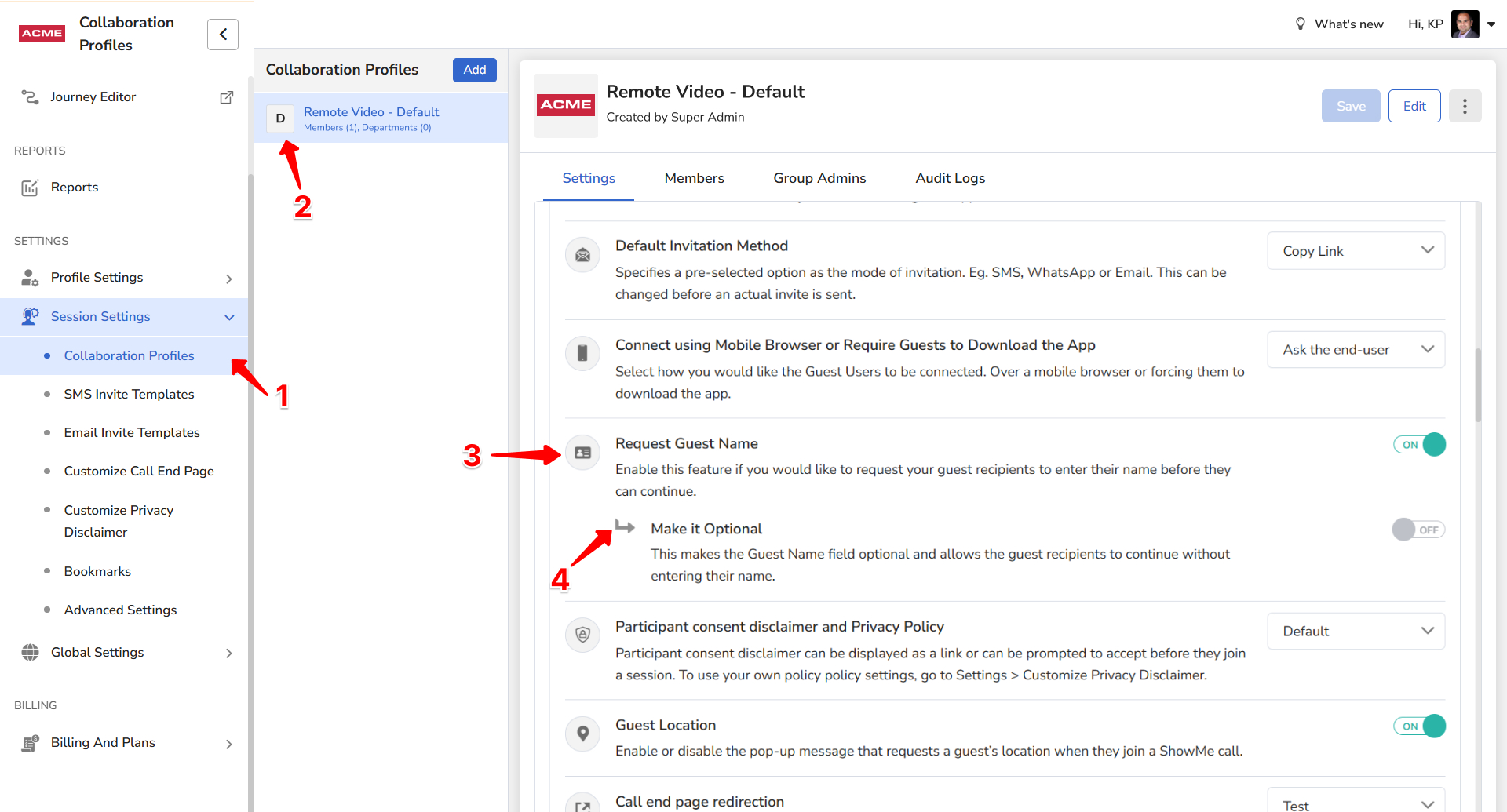
How to turn on Request Guest Name
- Sign in as an Admin, open the Admin Portal and click Collaboration Profiles.
- Select the Collaboration Profile.
- Scroll to Request Guest Name and turn it on.
- Choose whether the name is mandatory or optional.
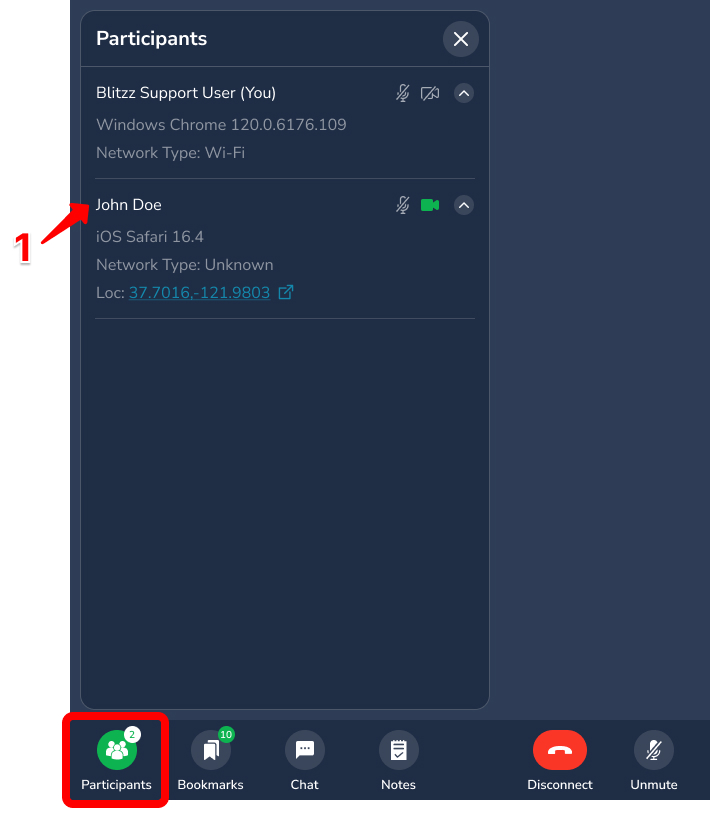
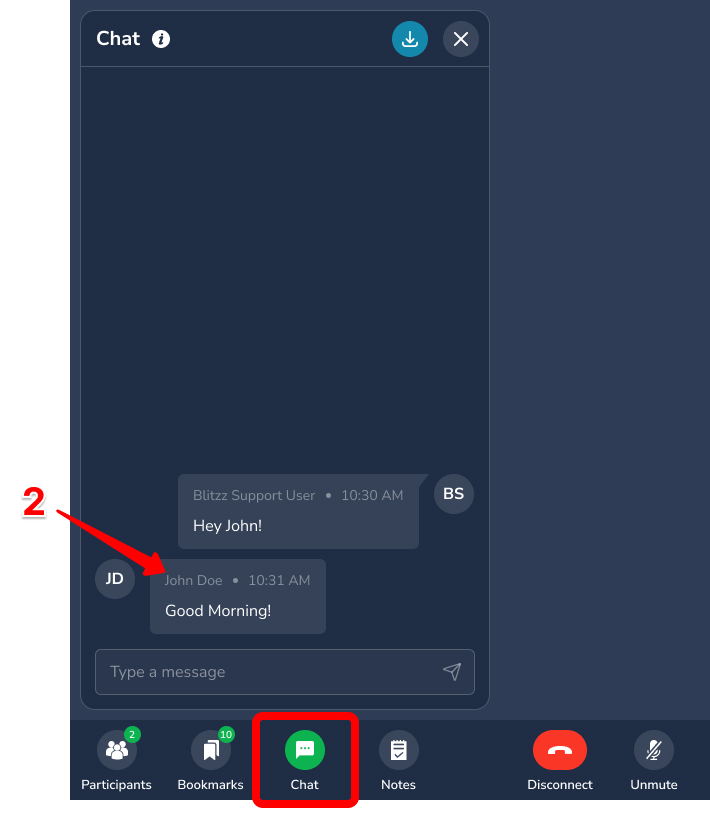
Where the host sees guest names
- The participants menu during a call
- In-call chat messages
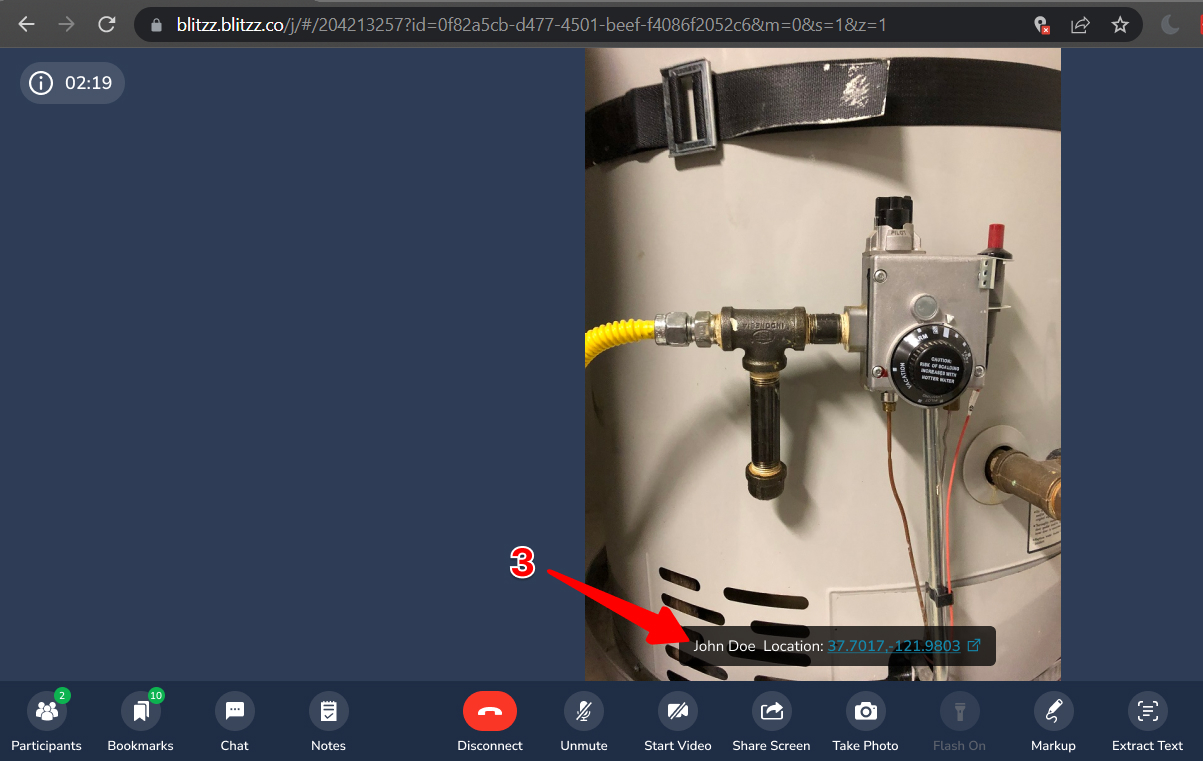
- Next to location coordinates (if enabled)
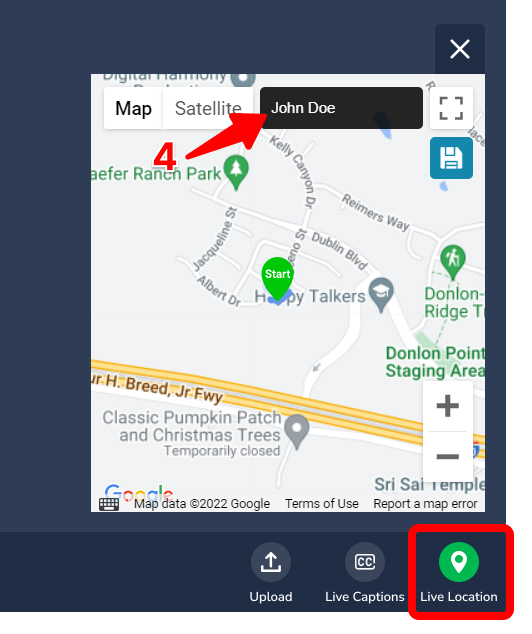
- Live location (if enabled)
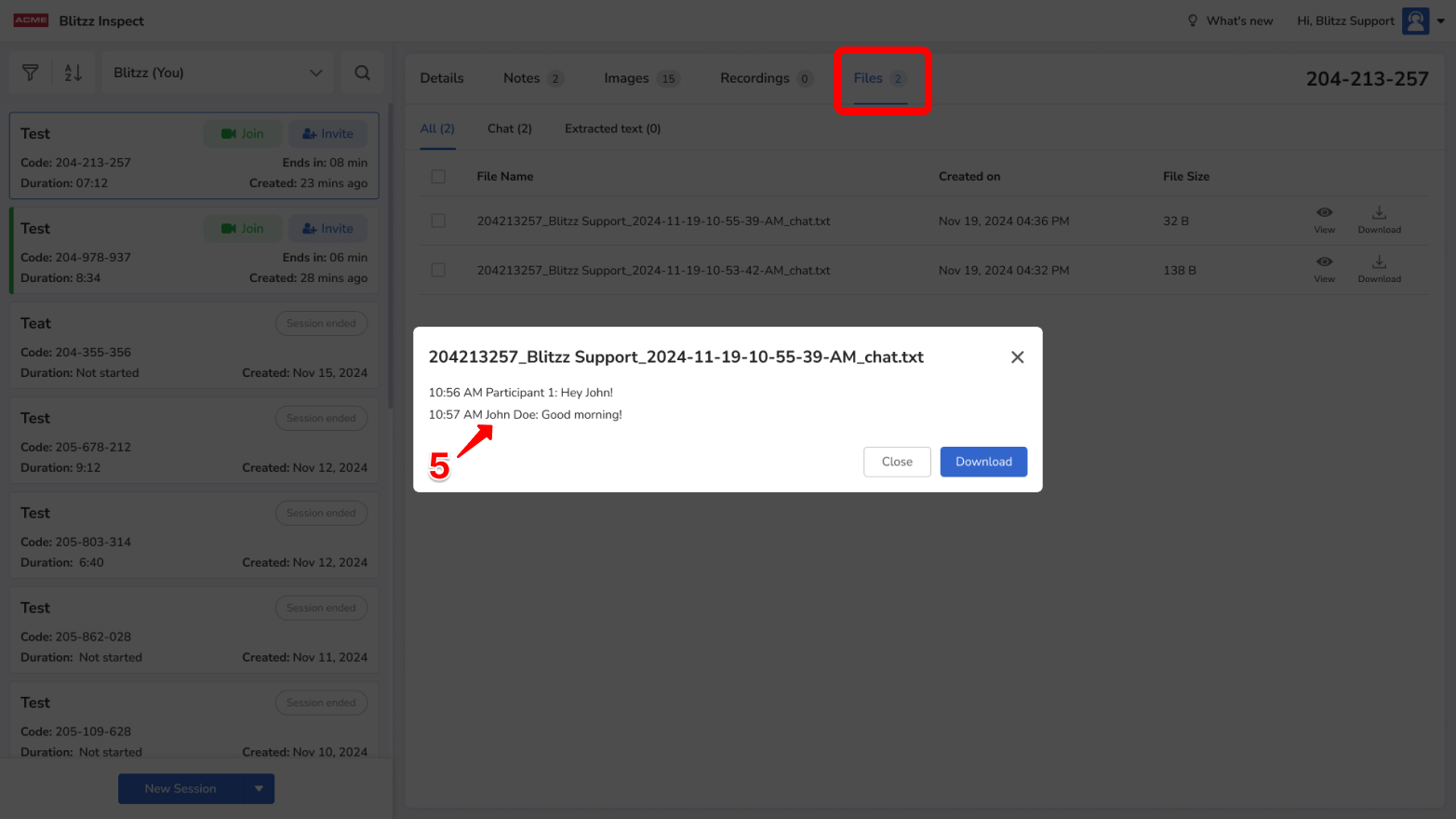
- Saved chat messages (if Auto-save Chats is on)
Frequently asked questions
Can guests see each other's names?
No. Only the host sees participant names.
Can I make the guest name optional?
Yes. Choose mandatory or optional when you turn on the setting.