
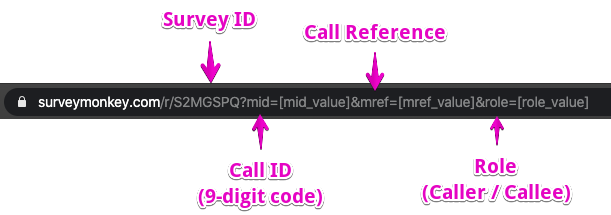
Redirecting users to SurveyMonkey after a call lets you capture the 9-digit session code, the session reference and the respondent's role with each survey response.
You need a SurveyMonkey account. If you don't have one, ask us and we may be able to help.
Step 1: Create your survey
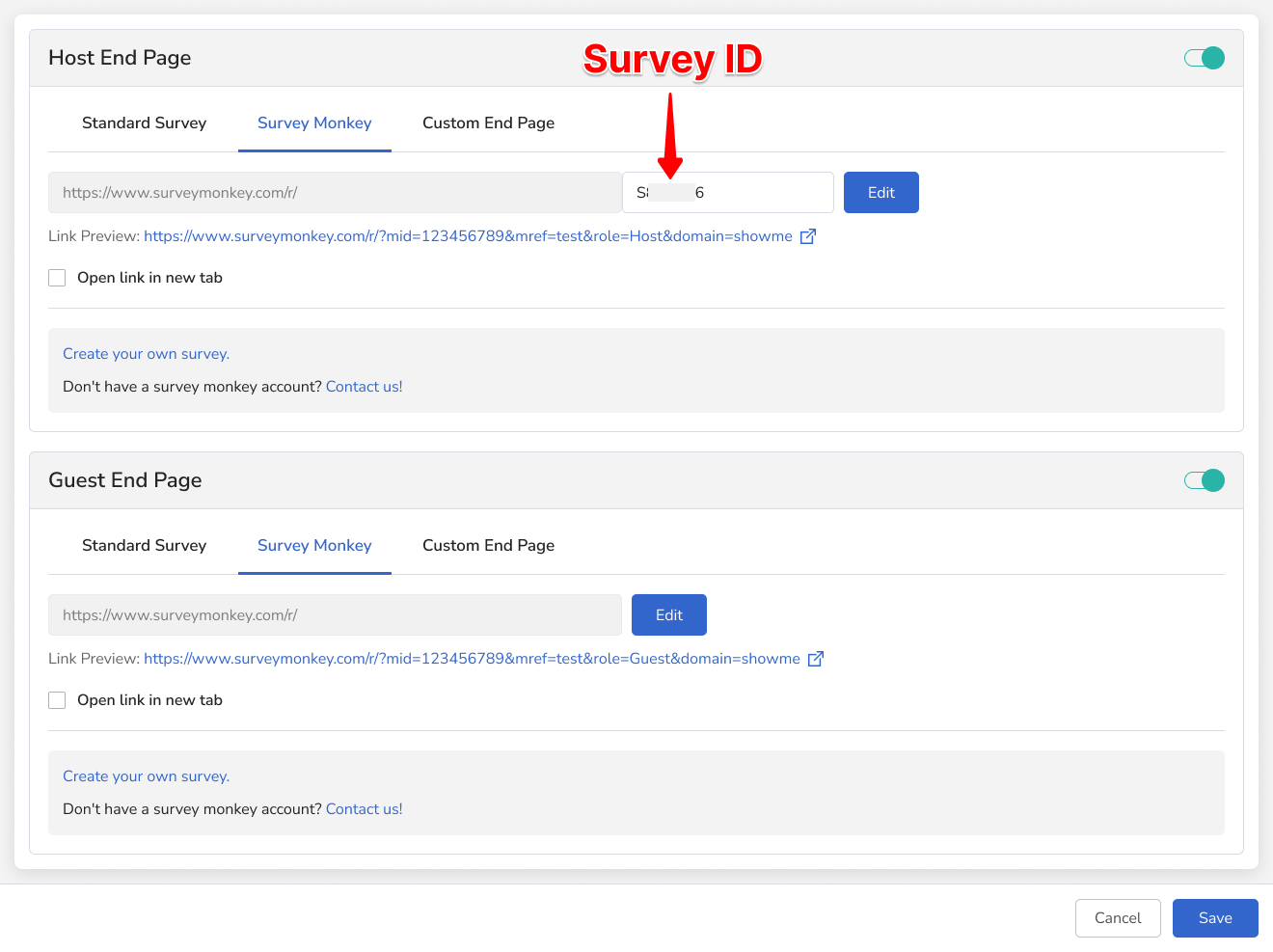
- Turn on Call End Redirect in the Blitzz Admin Portal.
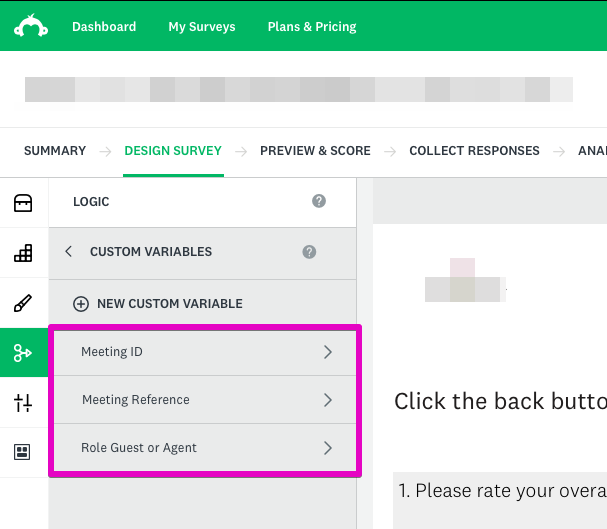
- Log in to SurveyMonkey and create a survey with custom variables.
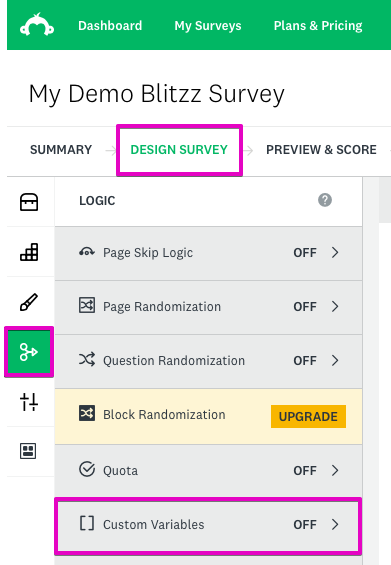
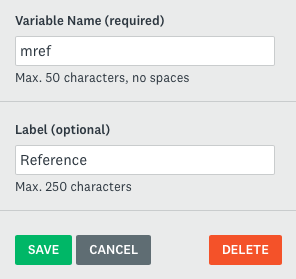
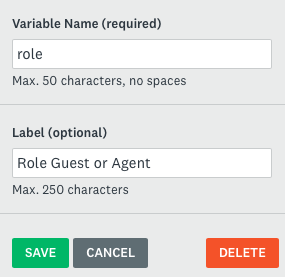
- In the Design section, under Logic, add these custom variables:
| Variable | What it captures |
|---|---|
| mid | The 9-digit meeting code (ID) |
| mref | The session reference (text) |
| role | The respondent's role (Agent or Guest) |
Step 2: Publish your survey
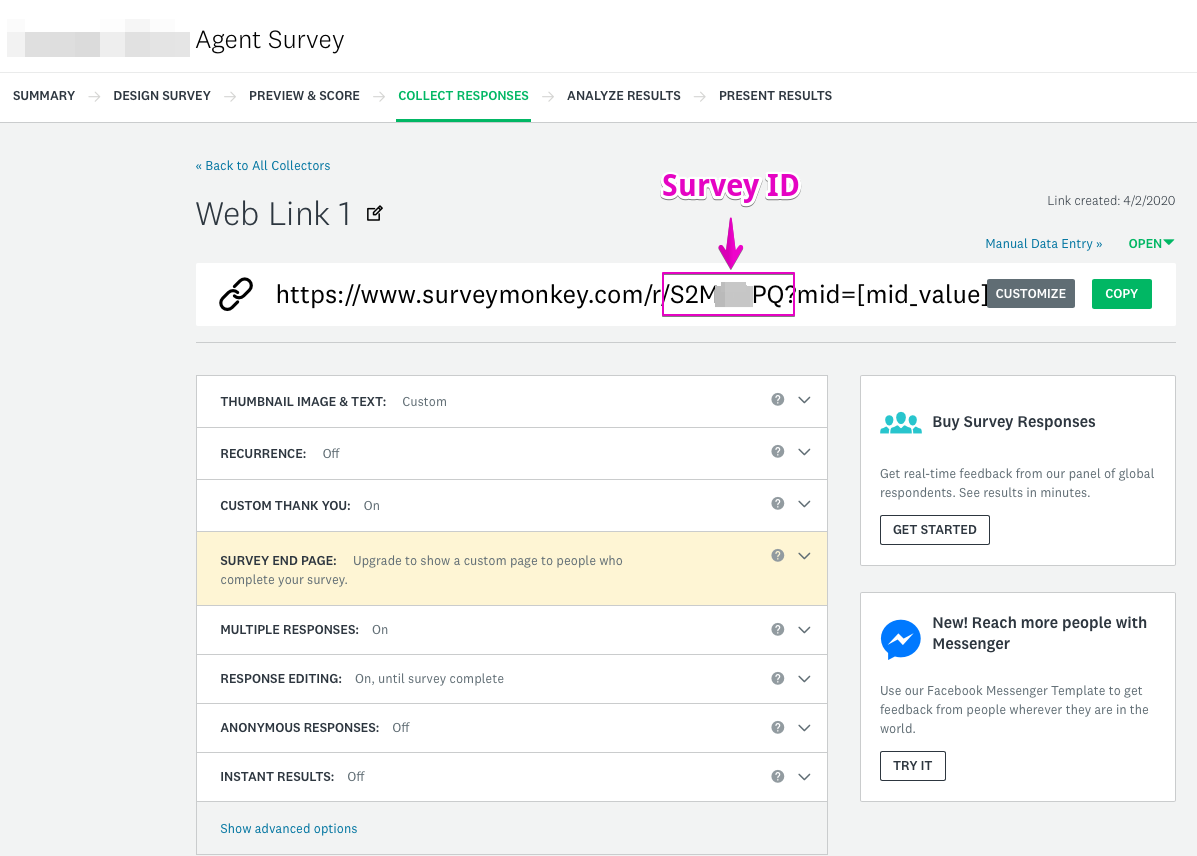
- Create a web link collector for the survey.
- Copy the Survey ID from the URL and paste it into the Blitzz Portal.
- Click Preview Survey to check how it looks.
Frequently asked questions
What data does Blitzz pass to SurveyMonkey?
The 9-digit session code (mid), the session reference (mref) and the respondent's role (role).