
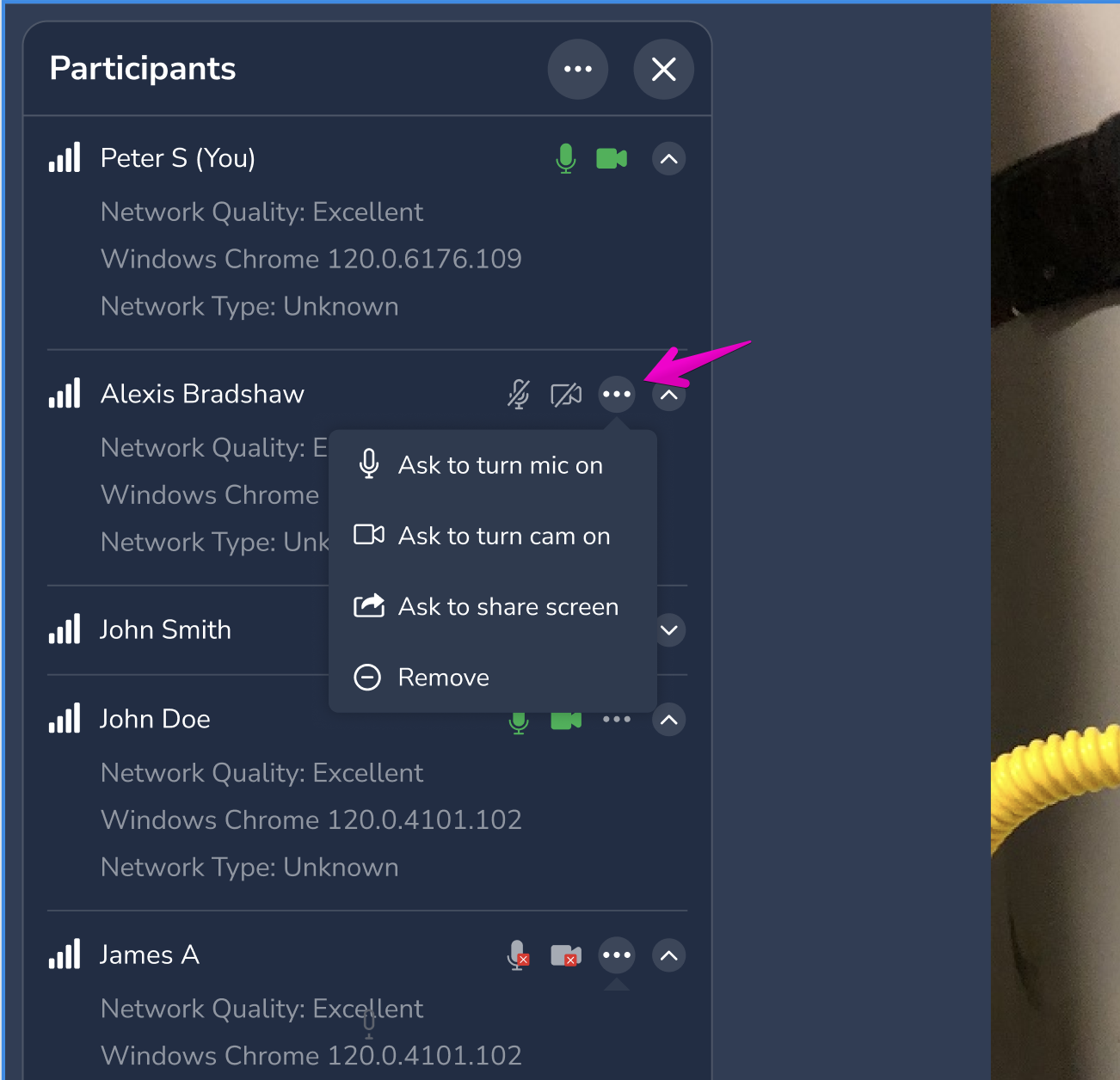
Hosts and agents can remove a participant from an active Blitzz session. This helps you keep the call focused and protect privacy.
When to remove a participant
- Someone joined the call by mistake.
- A participant is no longer needed.
- You need to control who is on the call for privacy or security reasons.
How to remove a participant
- Open the participants panel in your session.
- Find the participant you want to remove.
- Click the three-dot menu (…) next to their name.
- Select Remove Participant.
They are disconnected from the call immediately.
Good to know
- Removal applies to the current call only. The person may be able to rejoin if they have the session link and the session is still active. To stop anyone from rejoining, end the session.
- Host control. This option is usually available to the agent or host.
Questions? Contact Blitzz support.
Frequently asked questions
Can a removed participant rejoin?
Yes, if they still have the link and the session is active. End the session to prevent this.