
Blitzz can require guests to review and agree to your own Privacy Policy and Terms & Conditions before they join a session.
Step 1: Set up your privacy disclaimer
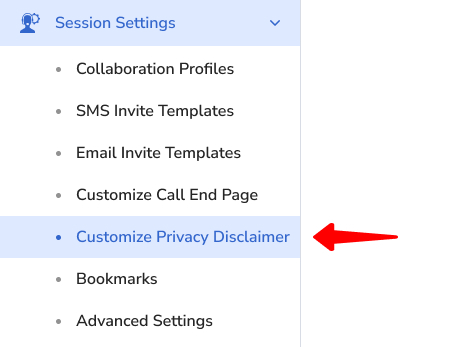
In the Admin Panel, go to Session Settings > Customize Privacy Disclaimer.
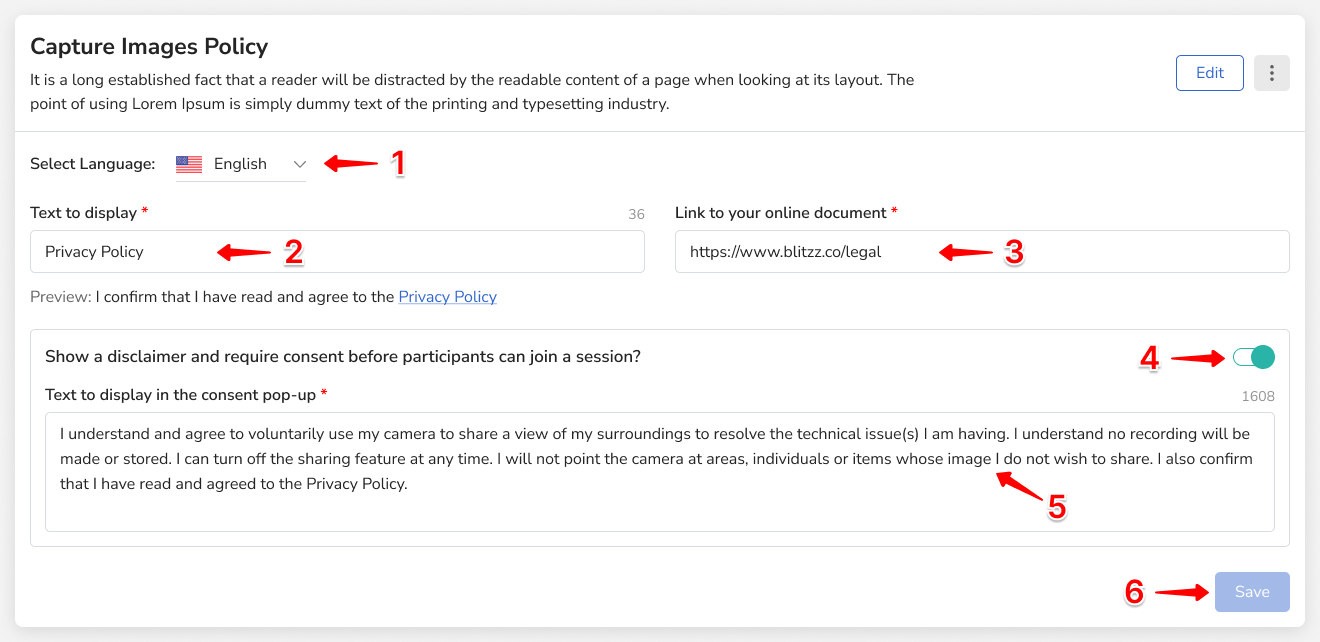
| Setting | What to enter |
|---|---|
| Language | Your preferred language. Only supported languages appear. |
| Link Text | The text that describes your policy link (max 50 characters). |
| Link to URL | The URL of your privacy policy. For several documents, link to one page that lists them all (for example, blitzz.co/legal). |
| Popup Consent | Turn on to show a popup that guests must agree to before connecting. |
| Text to Display | The popup message (max 2,000 characters). |
Click Save. Changes apply right away to new and existing calls.
Step 2: Assign it to Collaboration Profiles
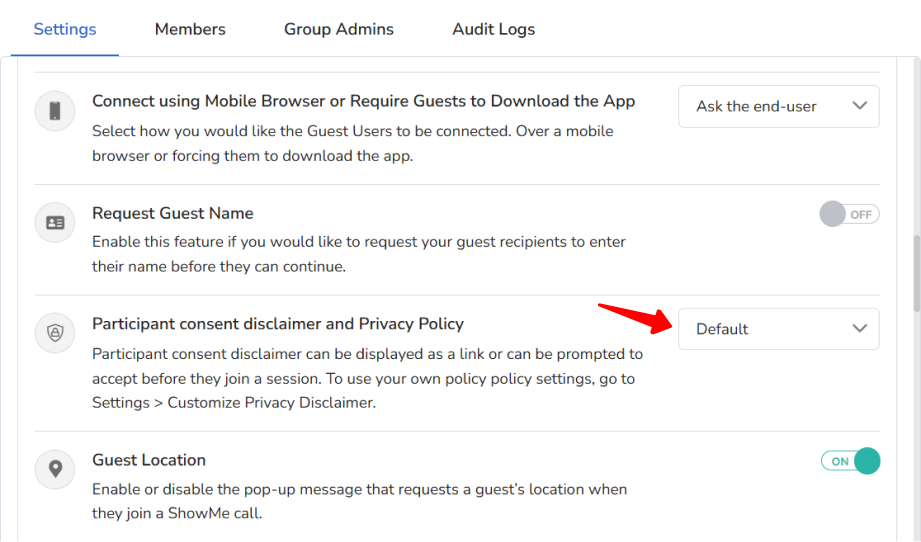
Go to Session Settings > Collaboration Profiles, select a profile, and on the Settings tab choose your customized privacy disclaimer.
What guests see
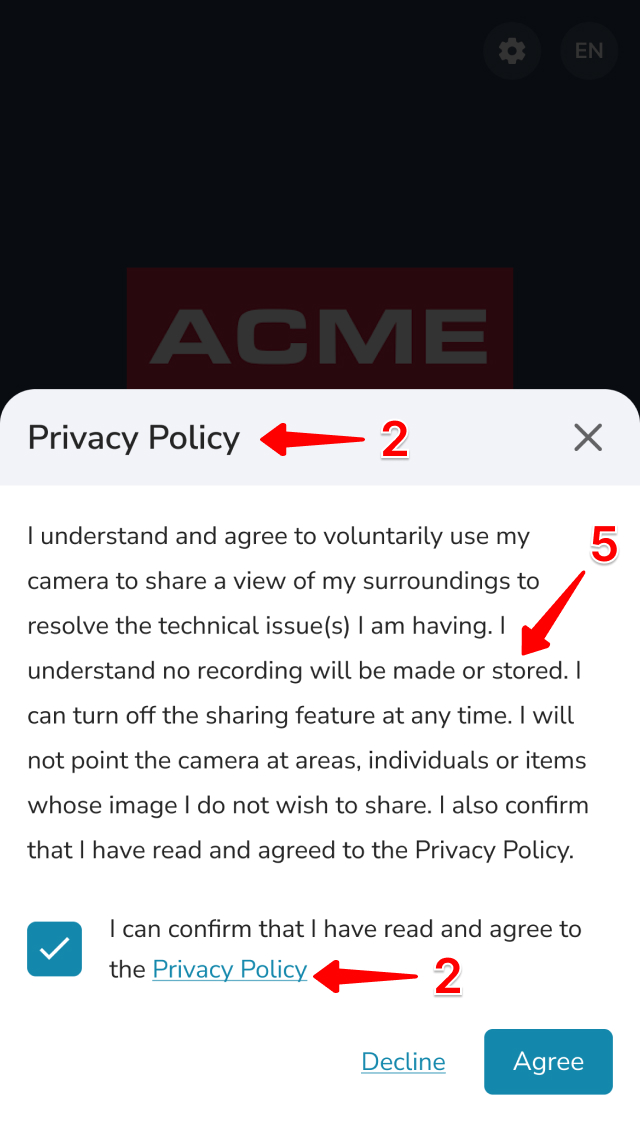
Before the call starts, guests see your custom privacy policy. If Popup Consent is on, they must accept it to join.
Frequently asked questions
Can guests join without accepting the policy?
Not when Popup Consent is on. They must accept it to join the session.