
Blitzz video calls don't need a powerful CPU. Real-time video still means encoding and decoding, which uses resources, so your fans may spin faster to keep the CPU cool. This is normal.
If your computer slows down or stops responding
Restart your computer before the call. Other software may be using computer power or interfering with your camera or microphone. A restart makes sure your computer is ready for video.
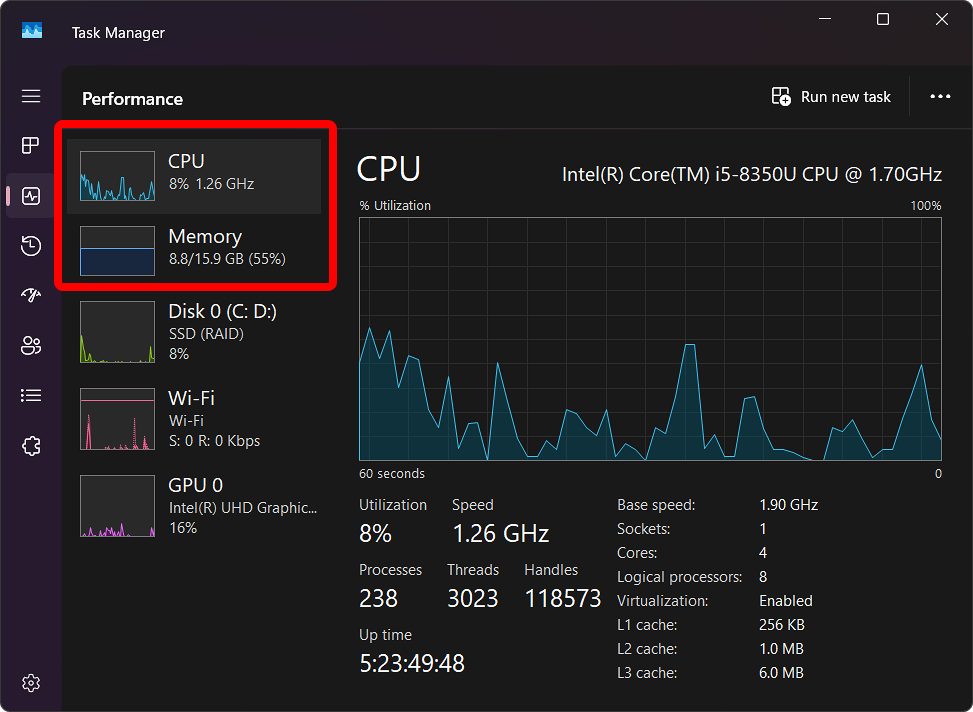
If it keeps happening, check Task Manager (the Processes and Performance tabs) to see what's using resources. On Windows, press Ctrl + Shift + Esc. How to open Task Manager.
Recommended troubleshooting steps
- Close apps you don't need.
- Restart your computer.
- Use a supported, up to date browser.
- Check the computer's temperature and ventilation.
- Reduce other system load during sessions.
- Make sure your system meets the minimum requirements.
Frequently asked questions
Is it normal for my fans to get loud during a video call?
Yes. Processing live video uses CPU, so fans often speed up to keep the computer cool.