
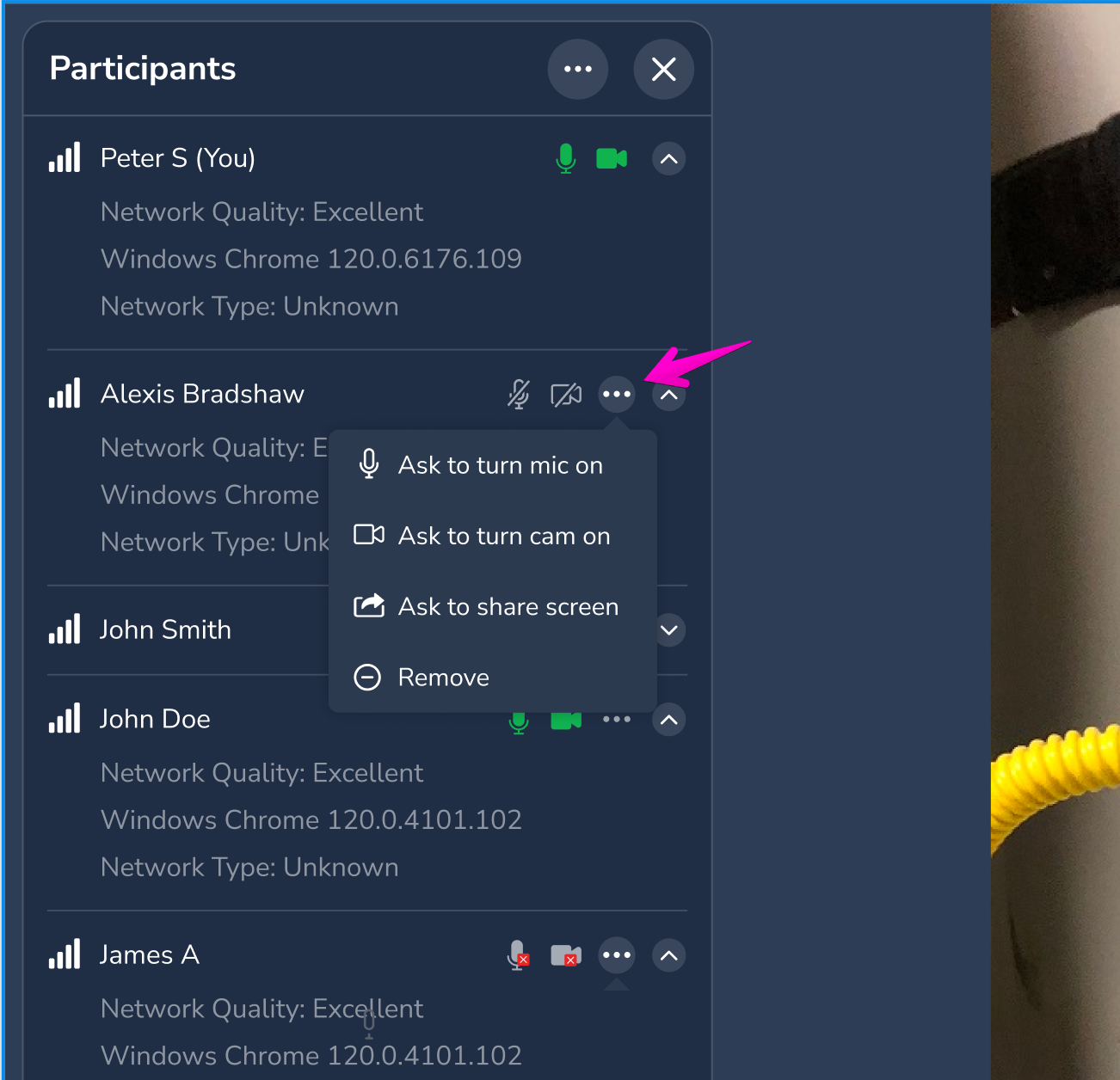
With Agent Camera & Mic Control Prompts, agents can ask a guest to turn their camera or microphone on or off during a session. This speeds up setup and makes sure you have the audio and video you need.
How it works for agents
- During the session, open the participant controls for the guest's audio and video.
- Choose a request: turn camera on, turn camera off, turn mic on or turn mic off.
- The guest gets a notification on their screen.
How it works for guests
- A notification appears, for example: "Allow agent to use your camera?"
- Tap Approve or Deny.
- The agent can't make the change without your approval.
Benefits
- Faster setup: Guests don't need to hunt for device settings.
- Clearer communication: Get the video or audio you need to troubleshoot.
- Guest privacy: Guests always approve or deny each request.
Questions? Submit a ticket or email support@blitzz.co.
Frequently asked questions
Can an agent turn on my camera without asking?
No. The agent can only send a request. You must approve it.