
Role required: Admin
How to export call logs to CSV
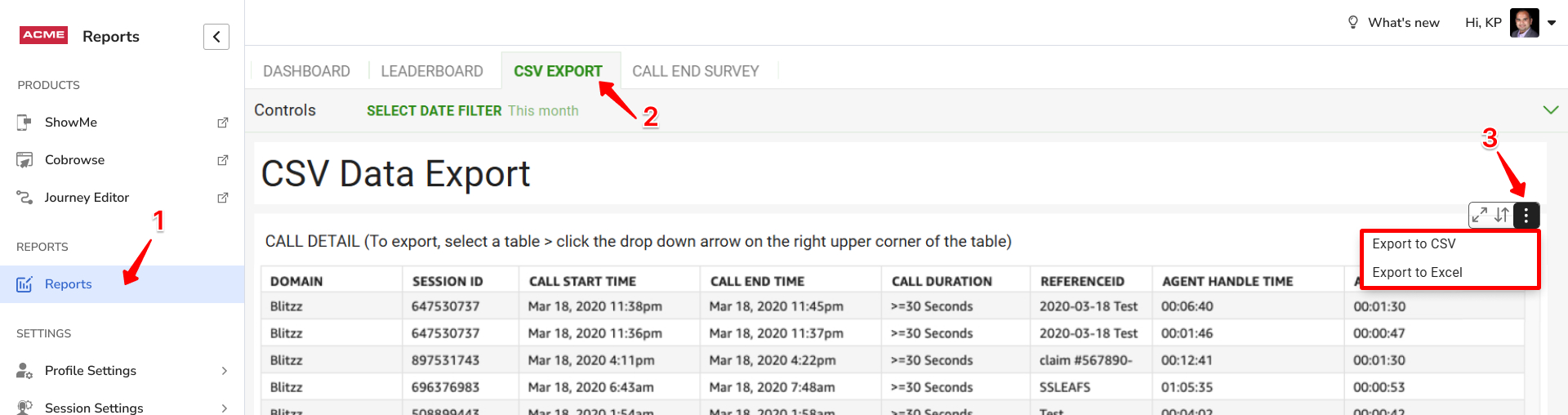
- Log in as an Admin and go to Reports > CSV Export.
- Click anywhere in the table until a small triangle menu appears, then click Export to CSV.
- Depending on your browser, the file downloads automatically, or a dialog lets you choose a file name and location or open the file.
Frequently asked questions
Where does the CSV file go?
To your browser's default download folder, unless your browser asks you where to save it.