
AI Call Summary automatically writes a short summary of each Blitzz session, so your team captures key details and outcomes without taking notes. Summaries are built for inspections and remote support, not generic meetings. They highlight technical issues, next steps, customer sentiment and inspection outcomes.
Don't see this feature in your account? Contact your Blitzz Account Representative or email support@blitzz.co to get access.
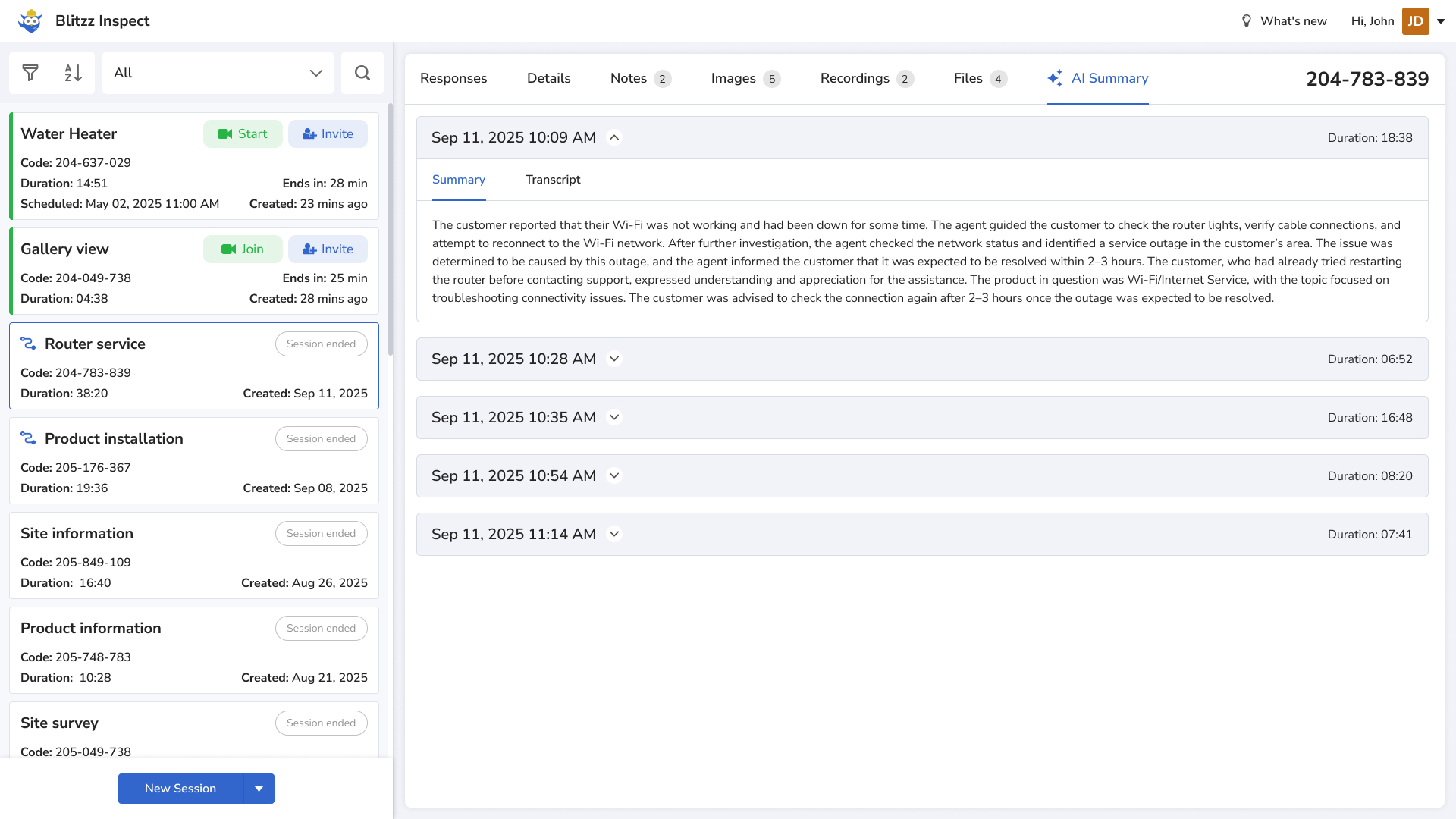
How to turn on AI Call Summary
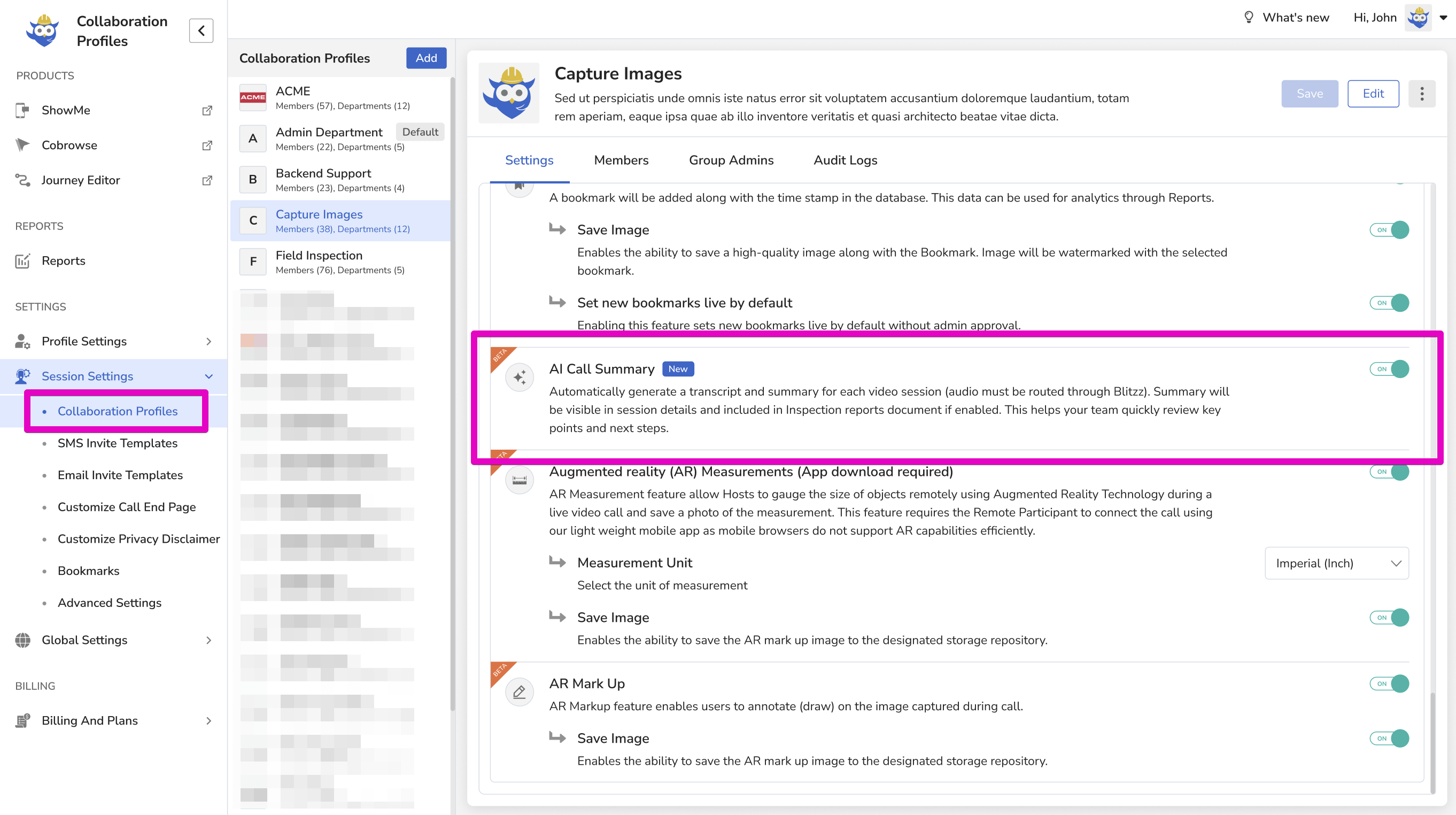
After the feature is activated for your domain, an admin needs to turn it on for each Collaboration Profile that should generate summaries.
- Go to the Admin Panel.
- Open Collaboration Profiles.
- Select the profile.
- Turn AI Call Summary on.
- Save your changes.
Blitzz now generates summaries for all future sessions in that Collaboration Profile.
AI Call Summary in Word Reports
If your account has Word Report enabled, the AI Call Summary appears at the top of the Word Report as an easy overview of the session.
Good to know
- AI Call Summary is in Public Beta. It's stable to use, but formatting and visibility may improve over time.
- Summaries are context-aware and trained on inspection and support terminology.
- Summaries attach automatically to session reports and customer records, with no extra tools or setup.
- Summaries are available soon after each call and are included in the inspection report Word document.
- Send feedback to support@blitzz.co.
Frequently asked questions
When is the AI summary available?
Soon after each call ends.
Do I need to turn on AI Call Summary for every profile?
Yes. An admin turns it on per Collaboration Profile.