
The AI Knowledge Base is the library of documents that Blitzz AI answers from. Agent Assist and Self Assist AI agents use it to give answers based on your own manuals, guides and support pages instead of general internet knowledge.
Create a knowledge base
- Open the user menu in the top right and select Settings.
- Go to Owlbert AI > AI Knowledge Base.
- Click Add, then enter a name and a short description. For example, one knowledge base per product line.
Add content
- Select the knowledge base from the list.
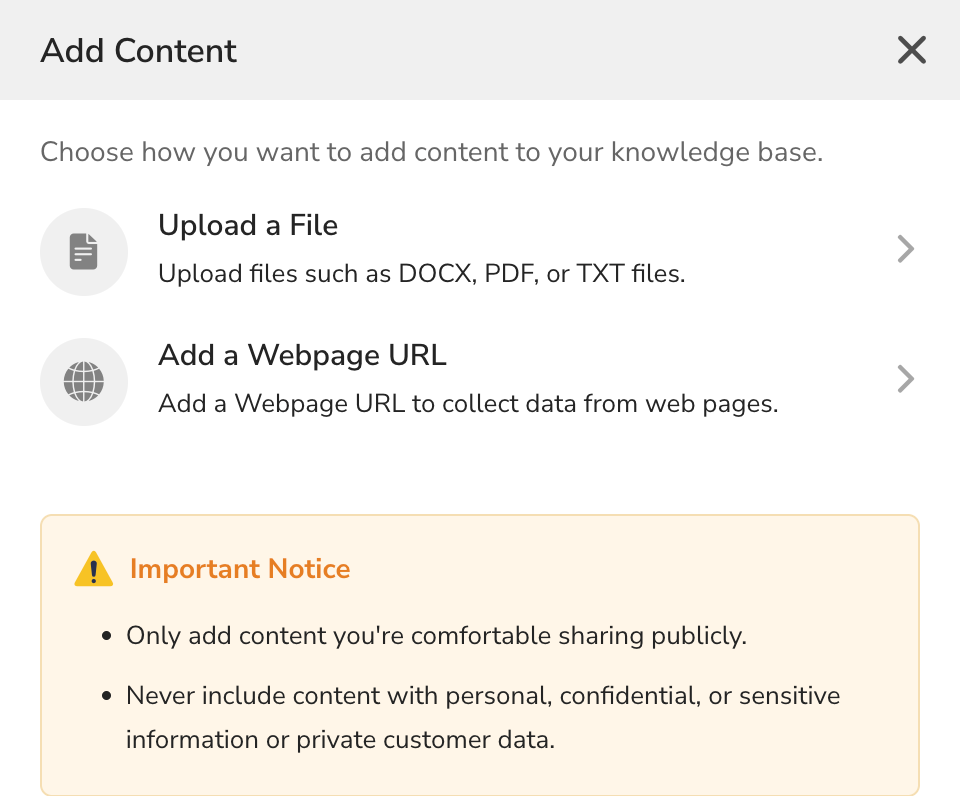
- Click Add Content.
- Choose one:
- Upload a File: DOCX, PDF or TXT files, such as product manuals or repair guides.
- Add a Webpage URL: collect content from a public web page, such as a support article.
Blitzz processes each new source. Check its Status in the Files or Webpage URL tab:
- Queued or Processing: Blitzz is reading the content.
- Ready: the content can be used by AI.
- Failed: the content could not be processed. Check the file and try again.
Choose which content AI uses
Each file and URL has a Training switch. Turn it off to keep a source in the knowledge base without AI using it. Use the Training filter to see Used or Unused sources.
What not to upload
- Only add content you are comfortable sharing publicly.
- Never add personal, confidential or sensitive information, or private customer data.
Tips for better AI answers
- Keep one product or topic per knowledge base.
- Use the latest version of each manual and remove outdated files.
- Prefer text-based PDFs over scanned images.
- Use the Audit Logs tab to see who added or removed content.