
Offline Mode lets your guest keep capturing photos during a Blitzz session even when the internet connection drops or is too weak for live video. Photos are saved on the guest's phone and upload automatically as soon as the connection comes back.
Offline Mode runs in the phone's web browser. The guest does not need to download or install an app.
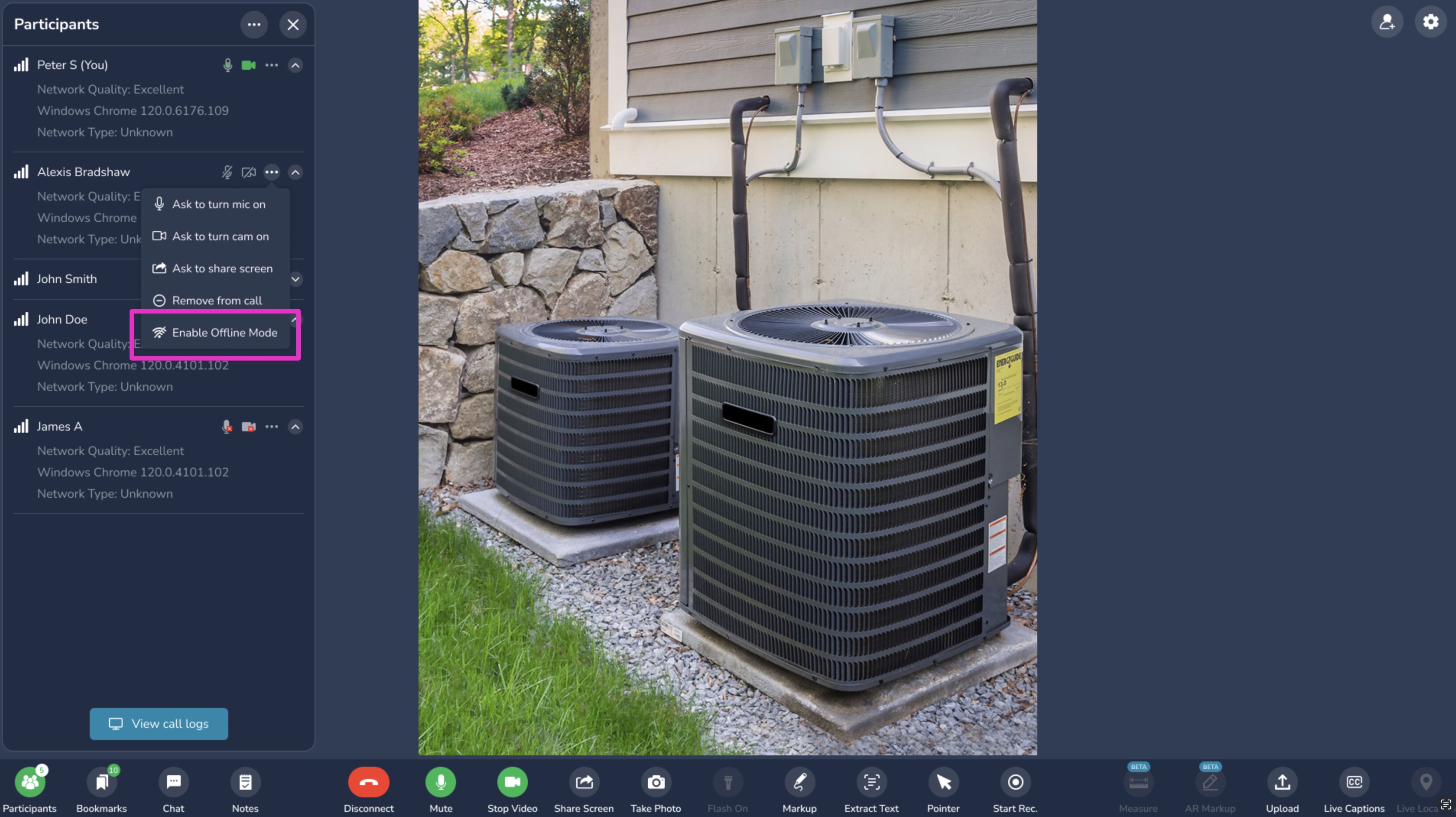
When to use Offline Mode
- Storage yards, parking lots, and industrial sites with weak mobile coverage
- Basements, garages, and rural locations where the signal is spotty
- Any session where live video keeps freezing or dropping
How it works
- Start the session as usual. Send the session link to your guest. The guest opens it in their phone browser and joins the live video call.
- Pause the live session. When the connection becomes unreliable, the agent pauses the live session and switches the guest to Offline Mode.
- Guest captures photos. The guest continues taking the required photos. Each photo is saved on the phone, even with no internet connection.
- Photos upload automatically. When the phone reconnects, all saved photos upload to the session on their own. The guest does not need to do anything.
- Review the media. The agent sees the uploaded photos in the session record and can resume the live call if needed.
Recommended workflow for low coverage locations
- Start with a short live call to confirm the guest, the location, and what needs to be captured.
- Walk the guest through the checklist while the connection is still available.
- Switch to Offline Mode for the photo work.
- Ask the guest to move to an area with better coverage, or connect to Wi-Fi, once they are done so the photos can upload.
- Resume the live call if you need to review anything together.
Tips for guests
- Keep the Blitzz page open in the browser until all photos finish uploading.
- Do not clear the browser history or cache while photos are waiting to upload.
- Make sure the phone has enough battery and storage space before starting.
Note: Offline Mode captures photos. Live video requires an active connection and resumes when the agent restarts the live session.
Frequently asked questions
Does the guest need to install an app?
No. Offline Mode works in the phone's web browser from the same session link.
What happens to photos if the connection drops mid-capture?
They stay saved on the phone and upload automatically when the connection returns.
Will the photos be lower quality because of the weak signal?
No. Photos are captured on the phone at full quality. Only the upload waits for a connection.
Can the agent see the photos right away?
Photos appear in the session as soon as they finish uploading.
Need help? Contact us at support@blitzz.co.