
Enterprise customers can send guest video session invites from their own domain instead of a Blitzz address. Guests see your name in their inbox.
How to set it up
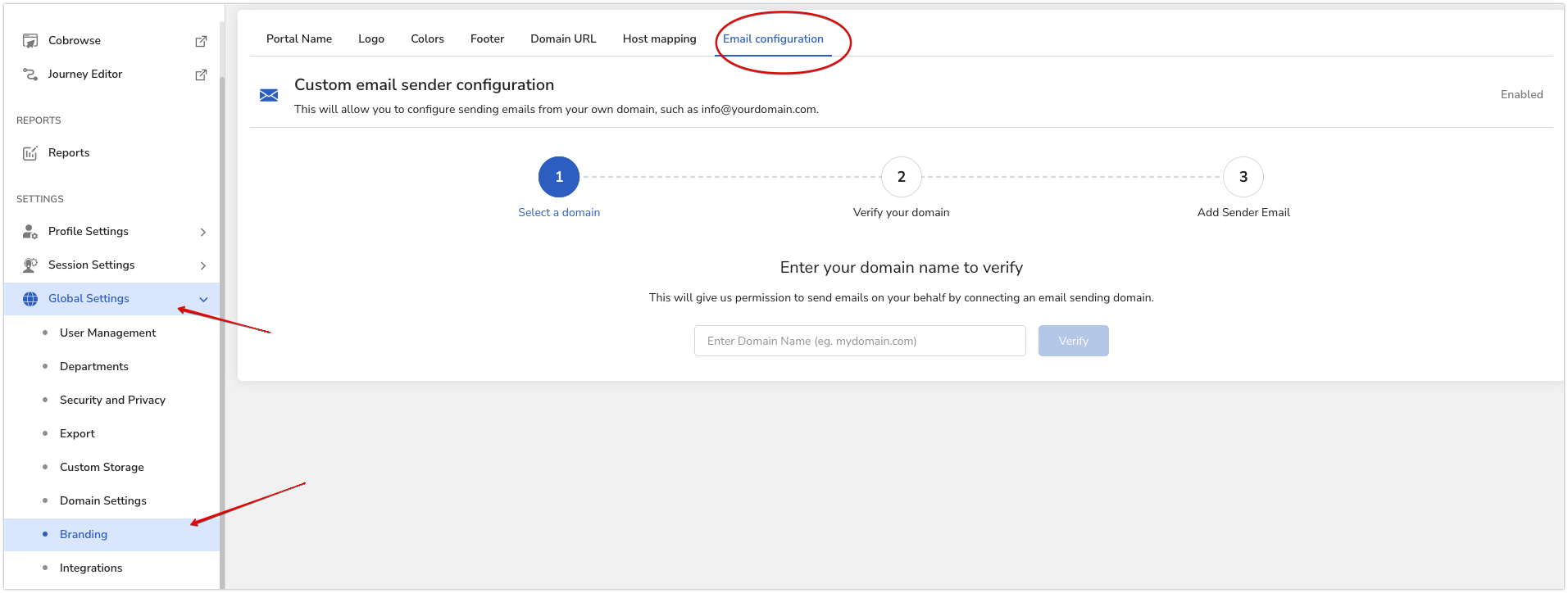
- Go to Global Settings.
- Click Branding > Email Configuration.
- Follow the steps to add your domain and verify it.
Important: Don't skip domain verification. It helps your emails reach inboxes instead of spam folders.
Which emails use your domain?
- Uses your domain: Guest invites to join a Blitzz video session.
- Still sent by Blitzz: Agent invites, password resets and other system messages.
Frequently asked questions
Why do I need to verify my domain?
Verification helps make sure invites are delivered to inboxes and not marked as spam.