
Available to: Users with the Admin role on Enterprise plans
For added security, you can limit how long users stay signed in to Blitzz on mobile or desktop. With a session timeout set, inactive users must sign in again after the time you choose.
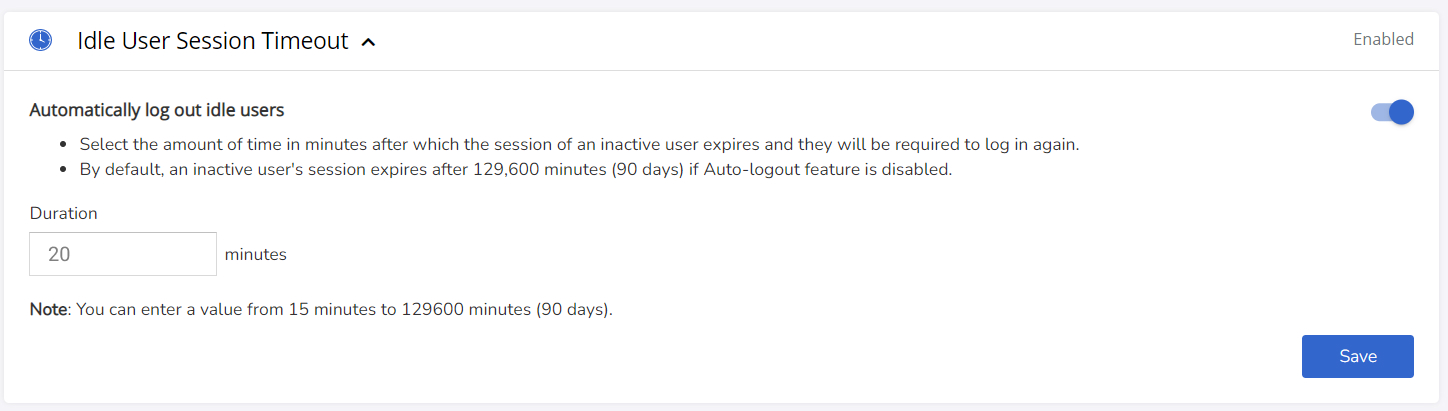
How to set an idle session timeout
- Sign in as an Admin or Super Admin and go to Security and Privacy.
- Click Idle User Session Timeout.
- Turn the feature on.
- Enter the number of minutes of inactivity before a user must sign in again. Choose any value from 15 minutes to 129,600 minutes (90 days).
Good to know
- Changes take effect the next time a user ends their current session and signs in again.
- If Auto-logout is off, an inactive user's session expires after 129,600 minutes (90 days) by default.
Frequently asked questions
What is the shortest timeout I can set?
15 minutes.
What is the default timeout?
90 days (129,600 minutes) when Auto-logout is off.