
If Blitzz saves media to your own Azure storage account, you can limit how long files stay there. Auto-delete helps reduce storage costs and improve security.
How to set up auto-delete
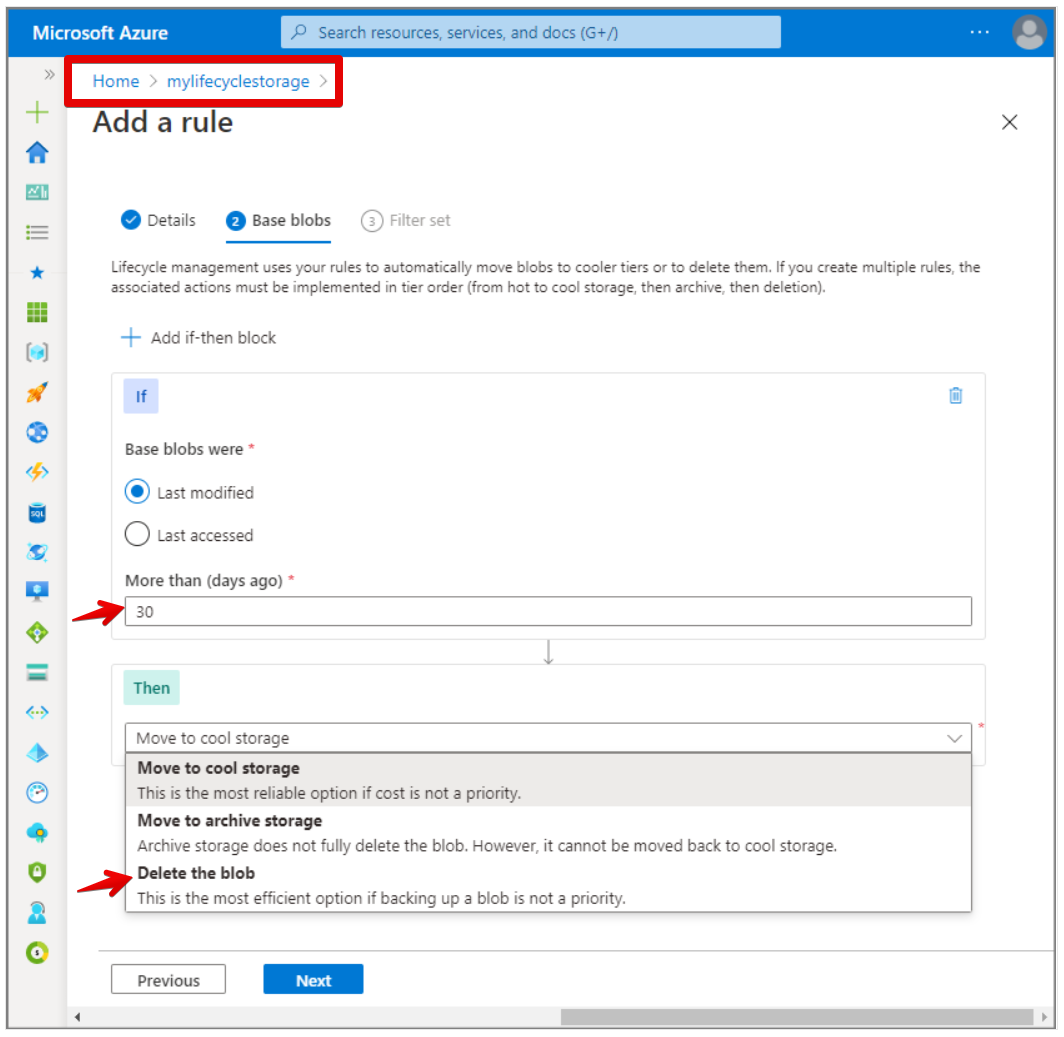
Set a lifecycle management policy in the Azure Portal. Lifecycle management is available in all Azure regions for general-purpose v2 (GPv2) storage accounts. If you have a GPv1 account, you can upgrade it to GPv2 in the Azure Portal.
See Microsoft's detailed instructions.
Staying on GPv1?
Use Azure Logic Apps to build a workflow that deletes files instead.
Frequently asked questions
Does Blitzz delete files in my own Azure storage?
When you use your own storage, you control retention. Set a lifecycle policy in Azure to delete files automatically.