
If Blitzz saves media to your own Azure storage account, there are two ways to access it.
Option 1: In your browser
Sign in to portal.azure.com, search for your storage account and click Storage Explorer.
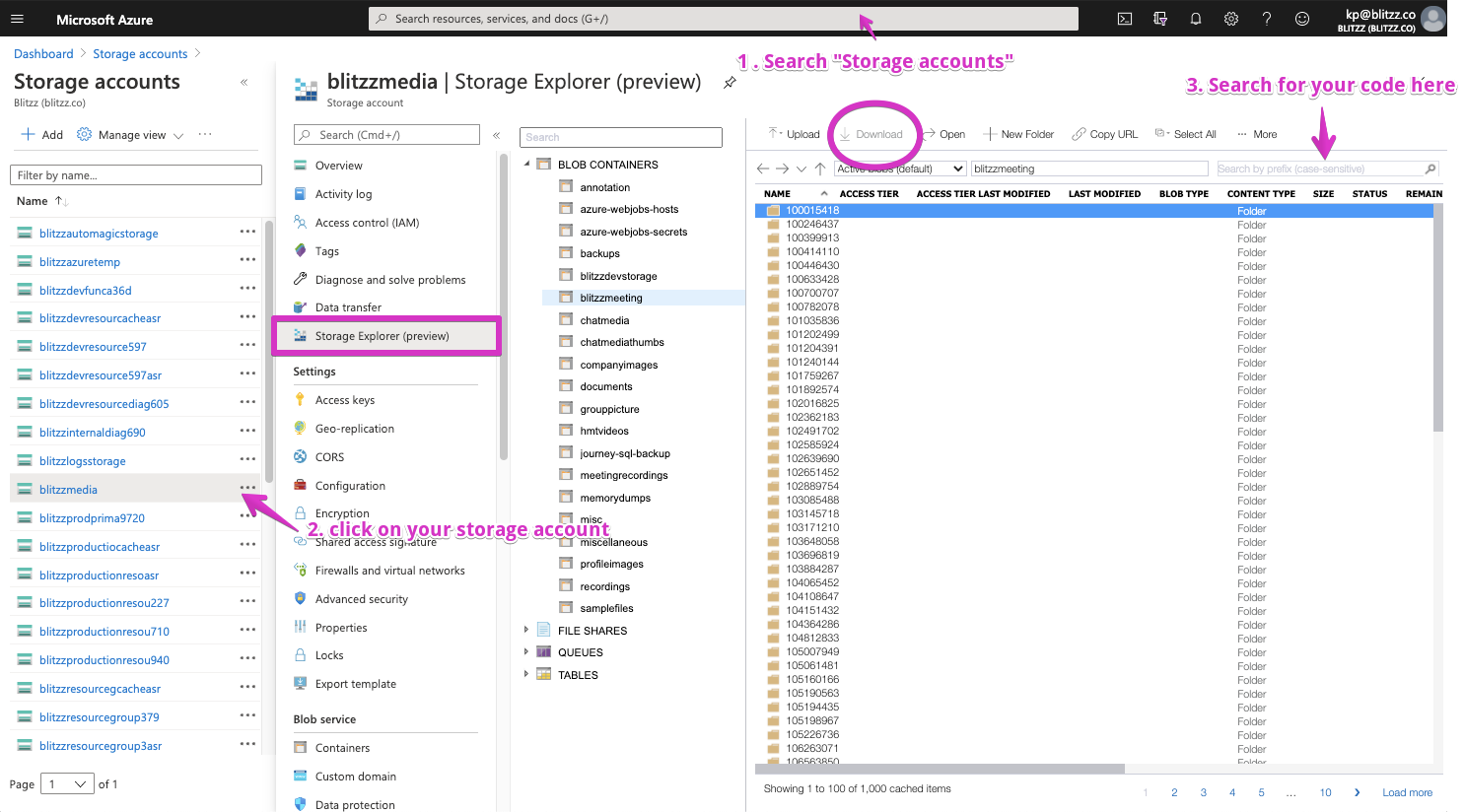
Option 2: With the Azure Storage Explorer desktop app
Download and install Azure Storage Explorer, then follow these steps.
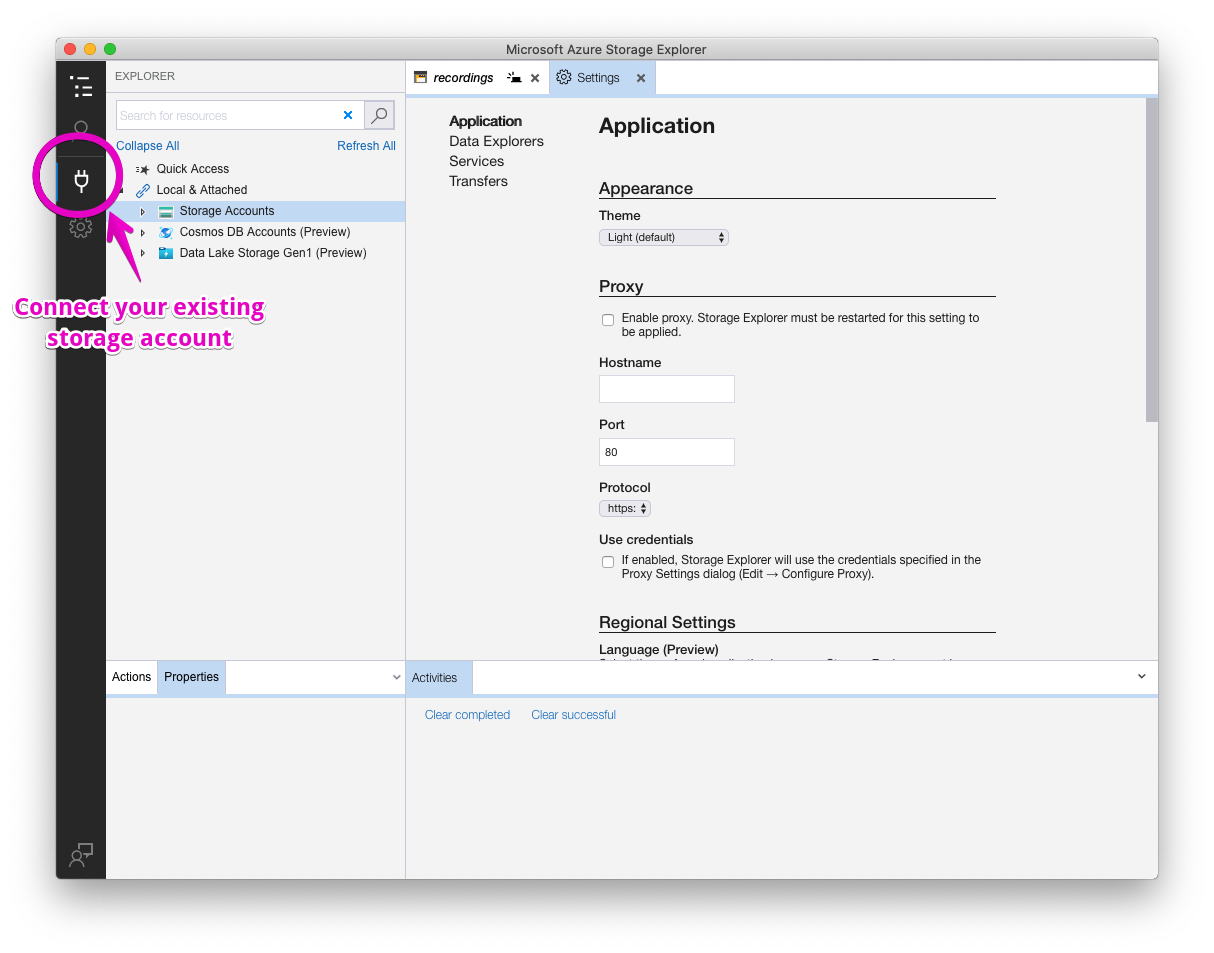
Step 1: Add a connection
Open Storage Explorer and click the plug icon.
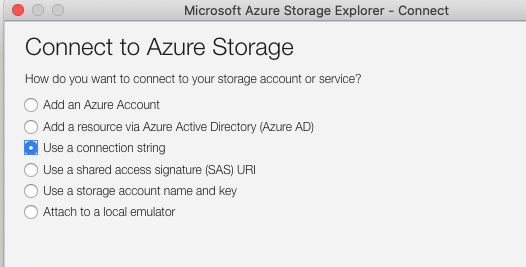
Step 2: Use your connection string
Connect with the same connection string you used when configuring Azure for Blitzz.
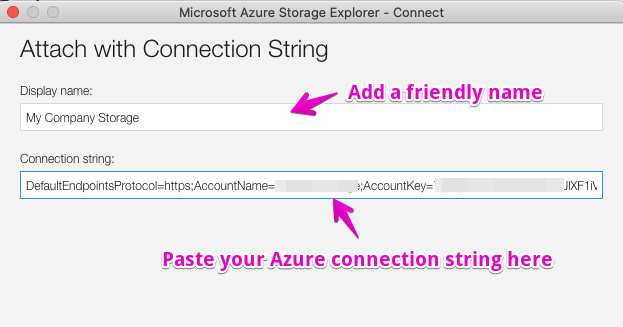
Step 3: Name the connection and enter your access key
See how to find your access key.
Step 4: Find your session media
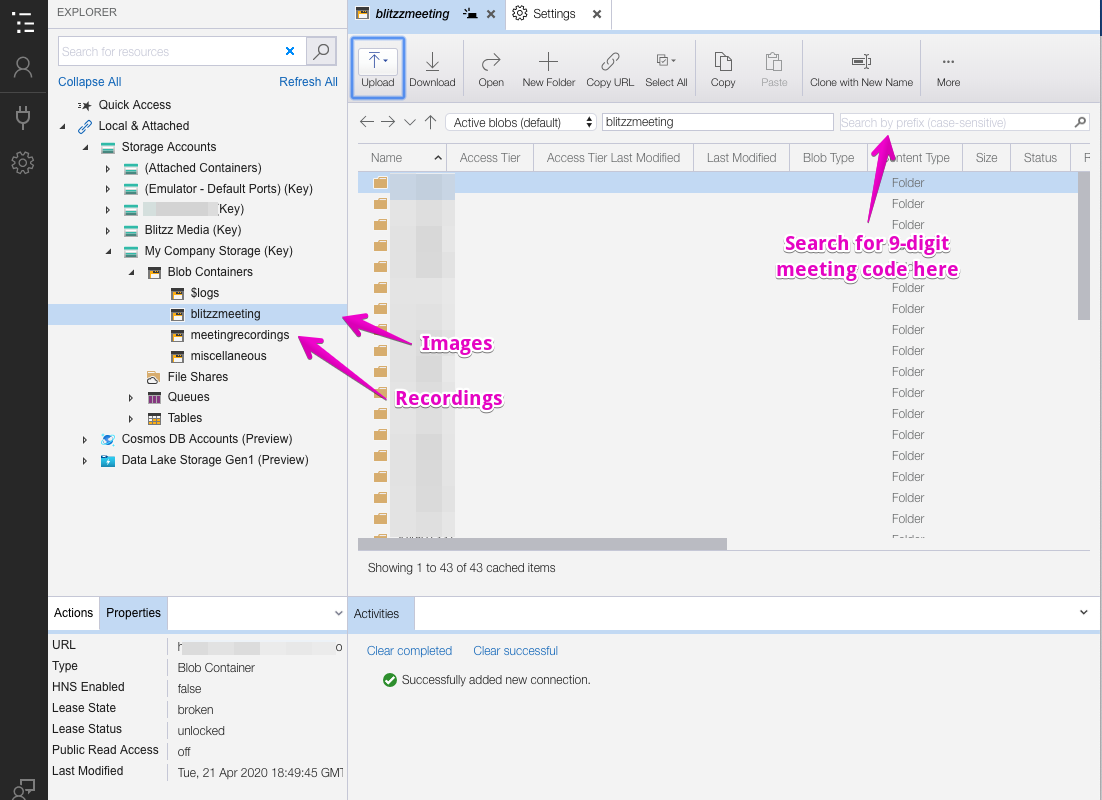
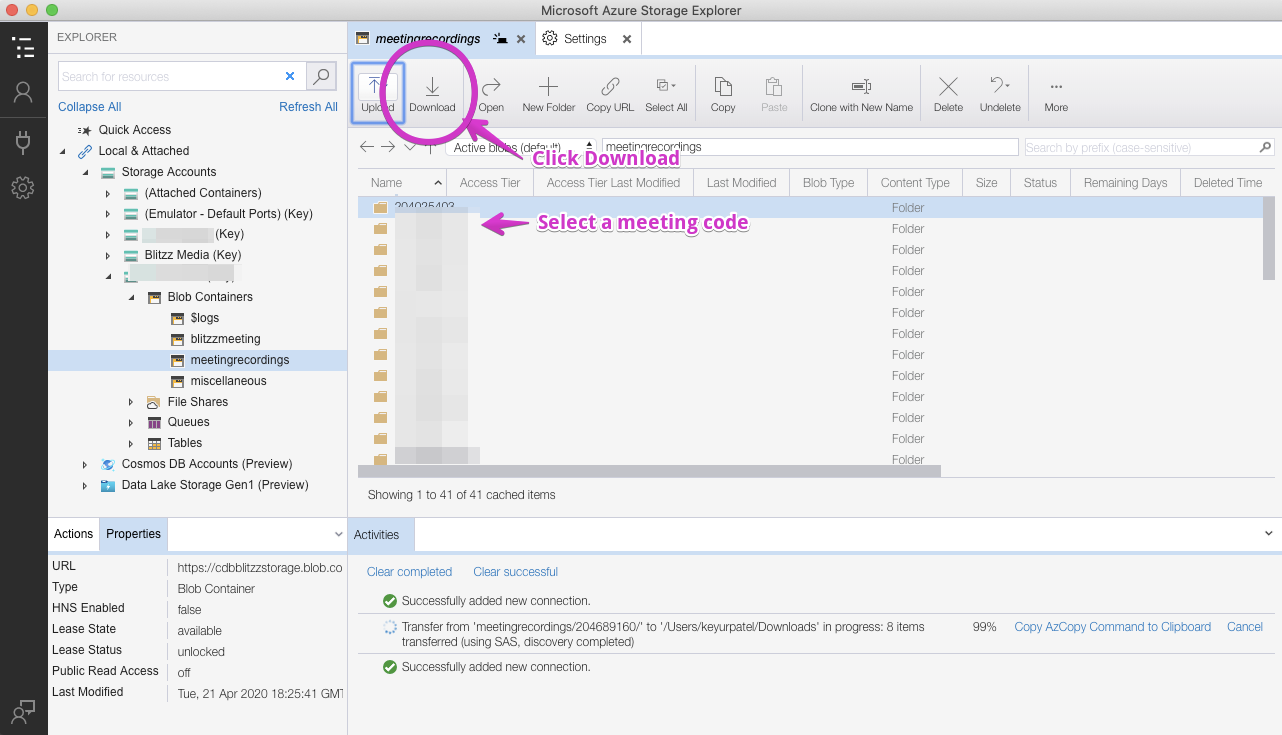
Step 5: Download the media
Frequently asked questions
Where are my Blitzz recordings in Azure?
In the storage account you linked to Blitzz. Open it in Storage Explorer to browse and download files.