
Available on: Enterprise Inspect plans
You can schedule a Blitzz session for later in the day or week instead of starting it right away. Starting a session immediately is still available.
How to schedule a session
- Go to New Session or Invite Guest, as you normally would.
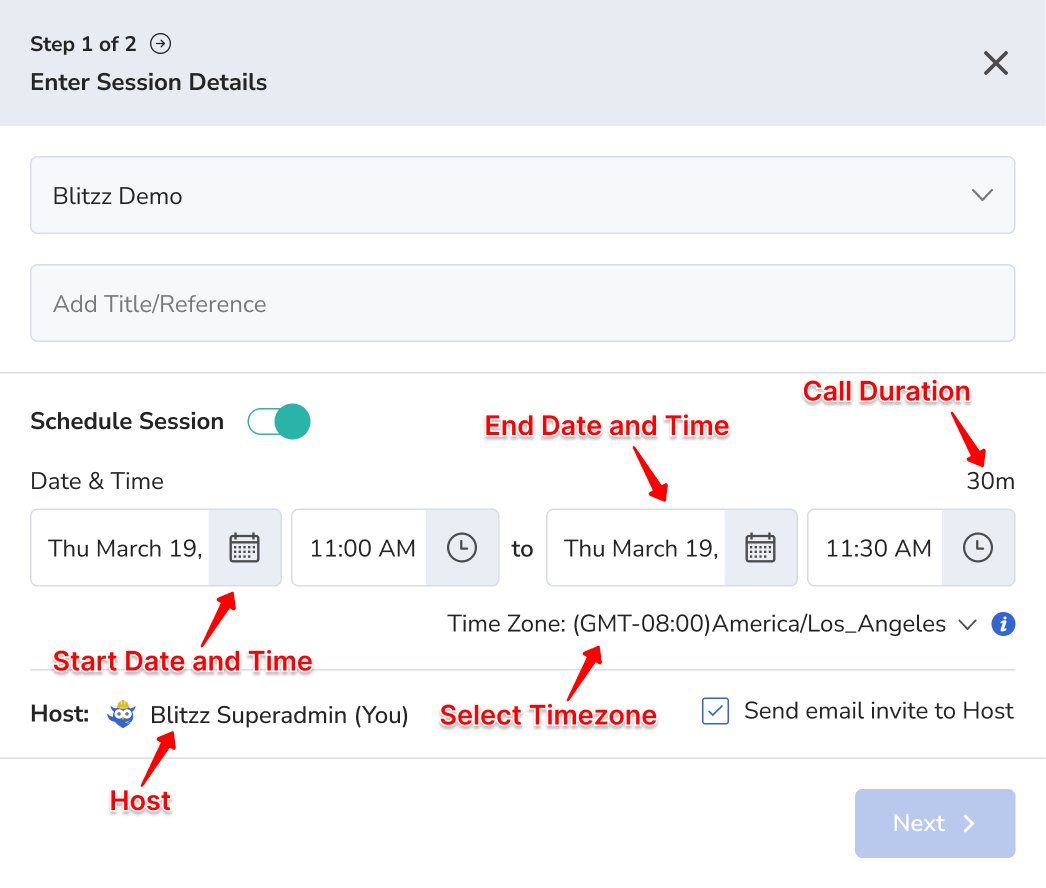
- Turn on Schedule Session.
- Choose a Start Date & Time and an End Date & Time. The window can be up to 365 days. Click the date to open a calendar, and click the time to pick hour, minute and AM/PM. The Call Duration updates automatically.
- Optional: set the Time Zone if you support more than one.
- Optional: choose a host. Check Send email invite to Host to email them the invite.
- Click Next and choose how to send the invite: SMS, email, WhatsApp or Copy Link (depending on what's enabled in your Collaboration Profile).
What if the guest joins early?
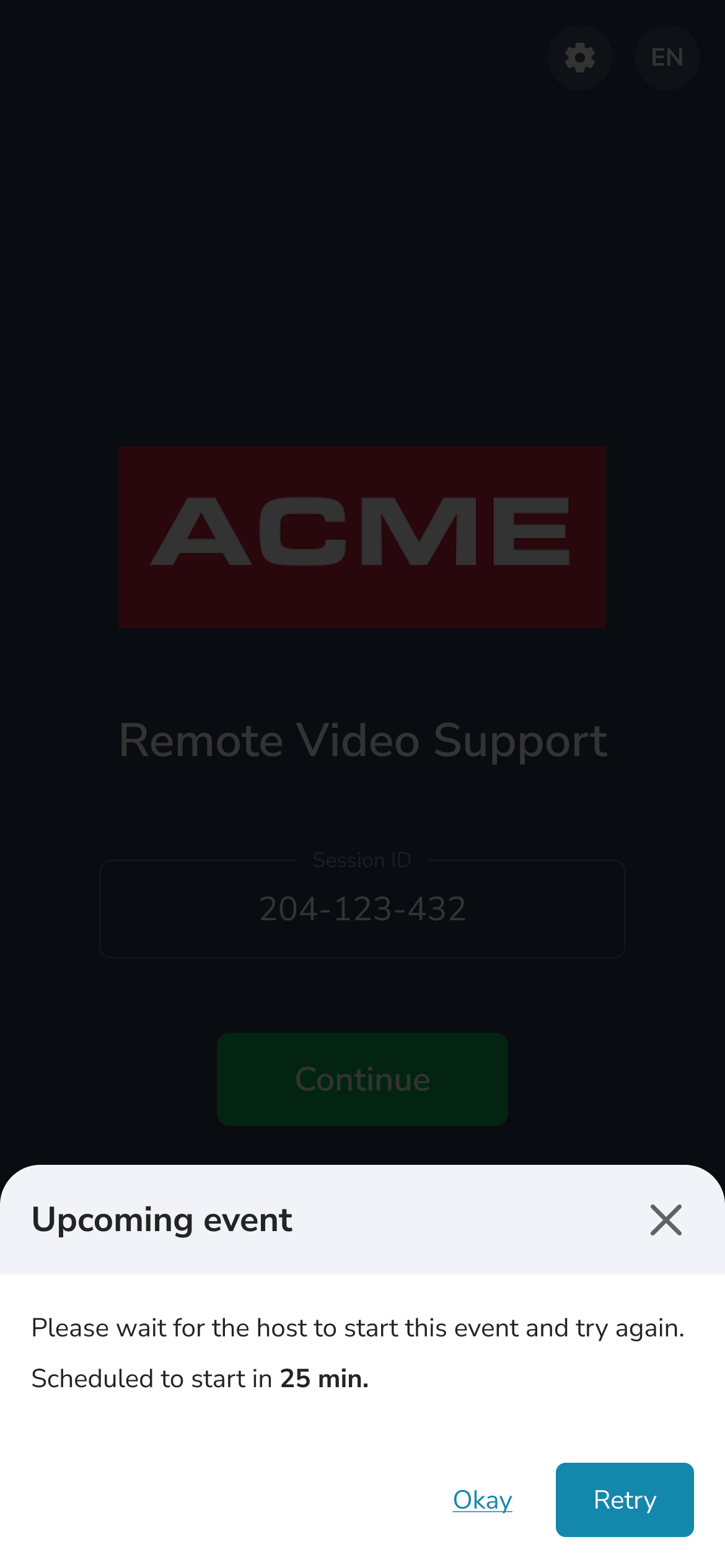
The agent can start the session early if needed. If the guest tries to join before the scheduled time, they see a message on their device telling them when the session begins.
Frequently asked questions
How far ahead can I schedule a Blitzz session?
The scheduling window can be up to 365 days.
Can I still start a session right away?
Yes. Scheduling is optional.