
Available on: All subscription plans, including Professional
Step 1: Turn on WhatsApp invitations
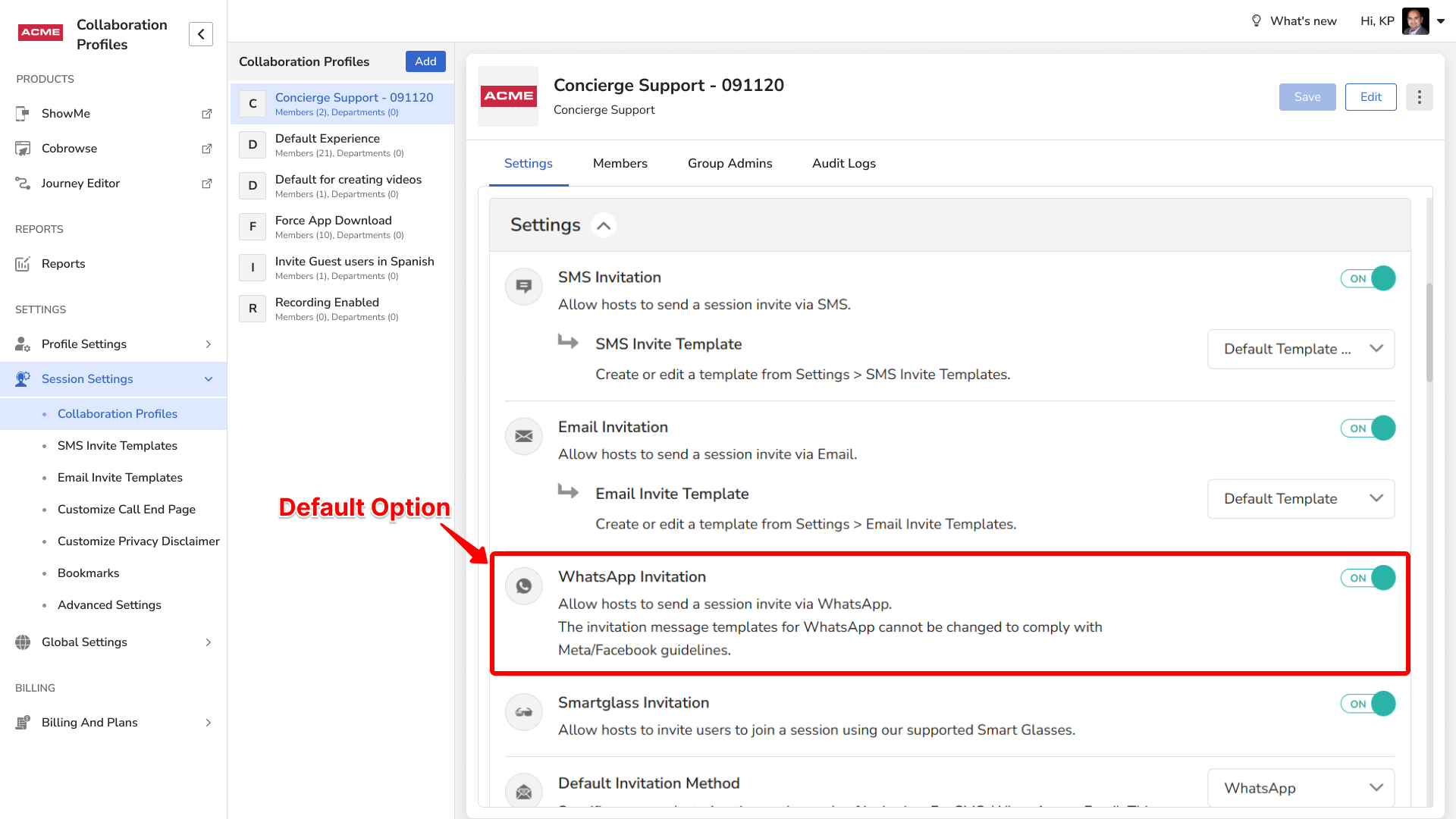
An admin must enable WhatsApp invites in your Collaboration Profile first.
- Log in as an Admin.
- Go to Settings > Collaboration Profiles.
- Select your Collaboration Profile, scroll to WhatsApp Invitation and turn it On.
- Optional: set WhatsApp as the default under Default Invitation Method.
Step 2: Send a WhatsApp invite
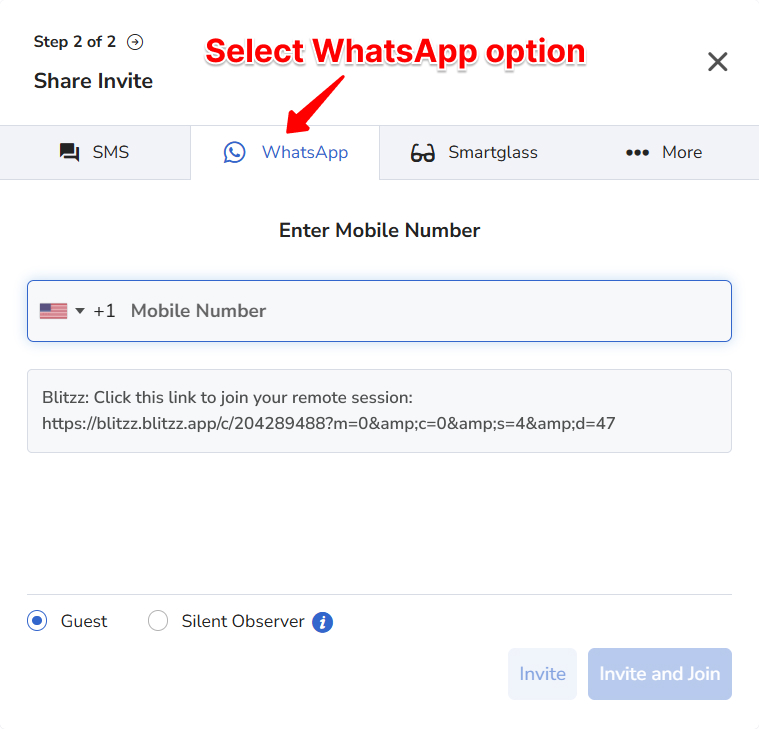
Create a new session with that Collaboration Profile and select the WhatsApp tab.
How guests join from WhatsApp
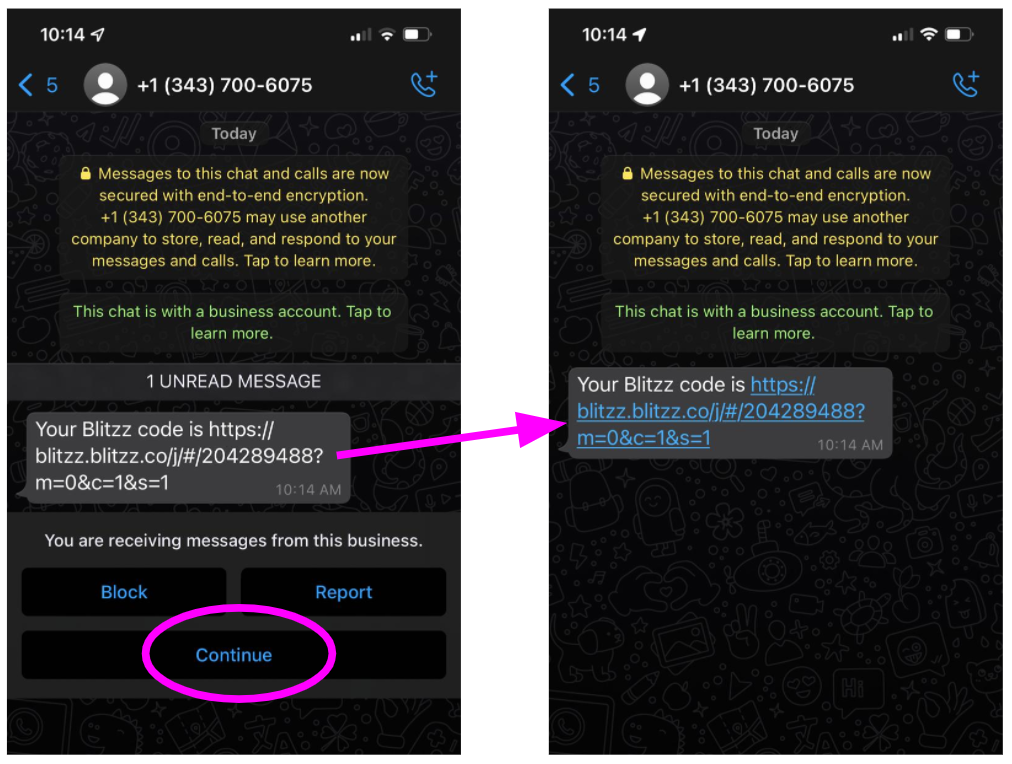
The first time a guest gets a Blitzz invite on WhatsApp, the link may not be clickable. WhatsApp does this to protect against spam (clickjacking).
To make the link clickable, the guest should:
- Tap Continue when they open the chat.
- The link is now clickable.
This only needs to happen once. Future messages from this number will have clickable links.
Frequently asked questions
Why can't my guest click the WhatsApp link?
WhatsApp blocks links from new contacts until the guest taps Continue in the chat. After that, links work.
Can WhatsApp be the default invite method?
Yes. Set it under Default Invitation Method in your Collaboration Profile.