Controlling access
By installing the Blitzz Co-Browse application, you can view available Co-browse-enabled devices directly within the Blitzz Co- Browse tab. These devices are linked to Salesforce through a shared identifier common to both systems. For a detailed explanation of this process, please refer to the information below.
In the Salesforce integration, Co-browse uses a device ID to be able to correlate sessions. To achieve this:
- Install the Blitzz Co-Browse App in your Salesforce environment from the link provided above.
- After installing the app, go to the Blitzz Co-Browse app from App Launcher; after that able to see the Blitzz Configuration tab
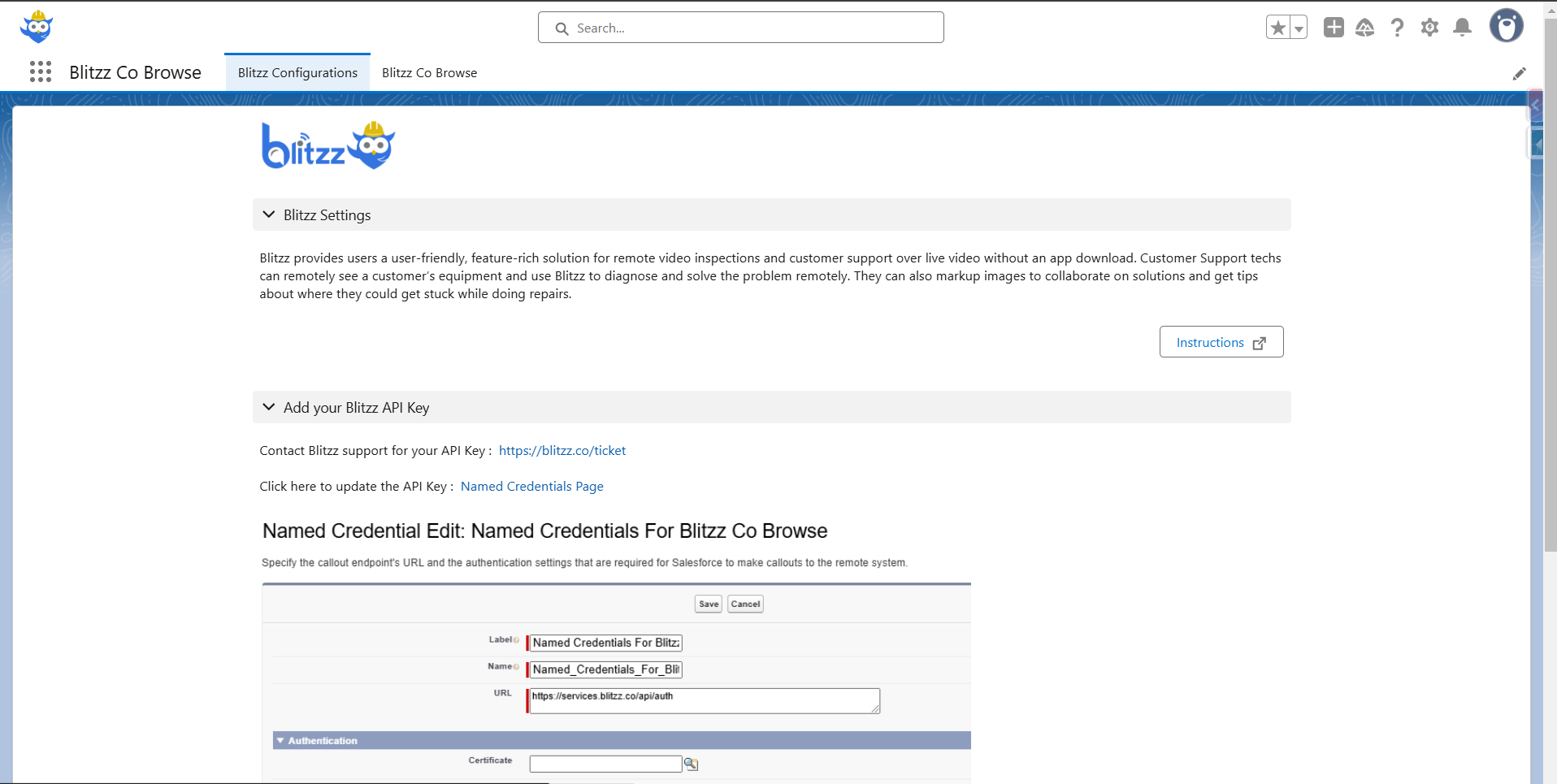
- Go to the Add your Blitzz API Key section and click on the “Named Credentials Page” link.
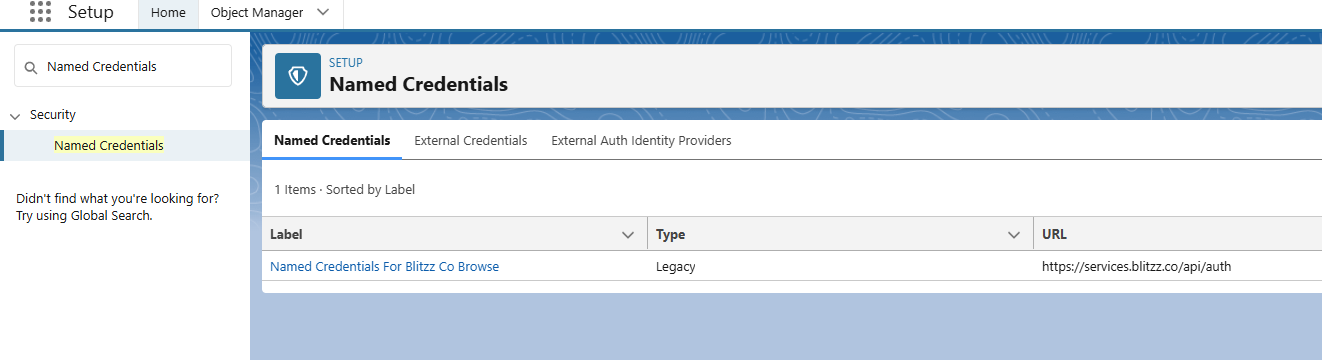
- Click on “Named Credentials For Blitzz Co-Browse”.
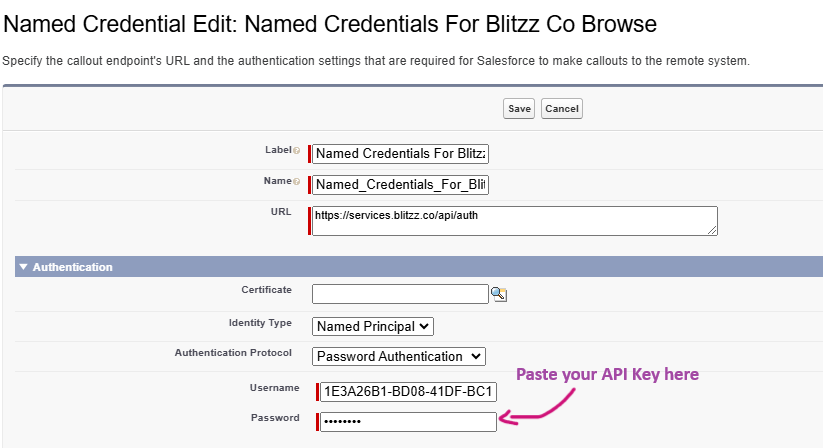
- Once it opens, paste the API key provided by Blitzz as shown in the screenshot below.
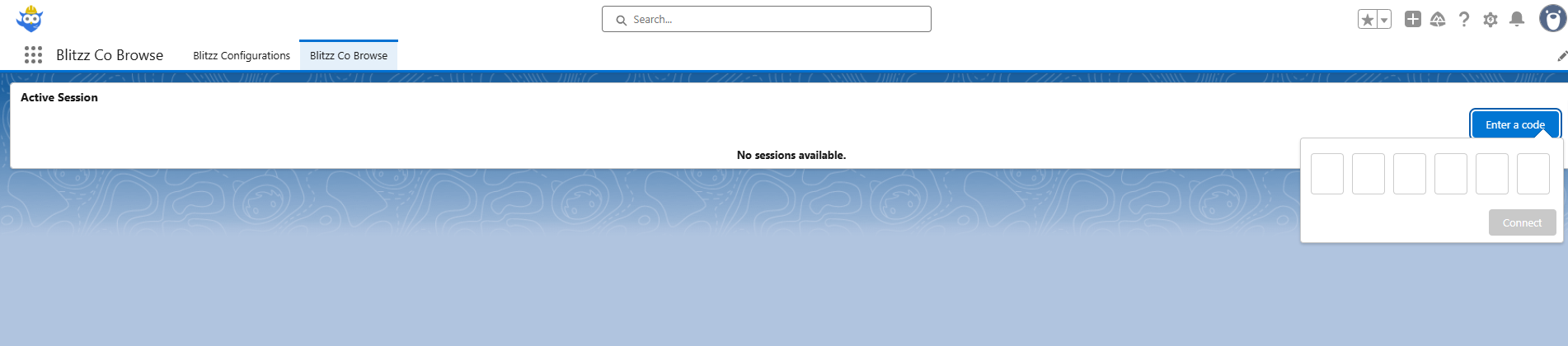
- Once the API key is added, go to the Blitzz Co-Browse app from App Launcher, and you should be able to see the Blitzz Co-Browse UI like the screenshot below.