
Smart Glass Troubleshooting

Uninstall an App from Vuzix Smart Glass

Follow these steps to uninstall an app manually from the Vuzix Smartglass:


1. Navigate to "Settings > Apps" and select the app you would like to uninstall.
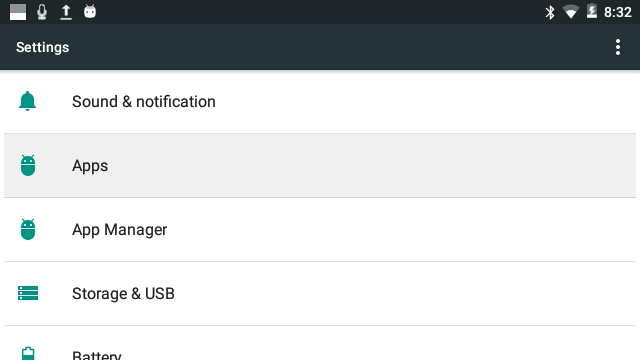

Vuzix_Settings_Page.jpg 


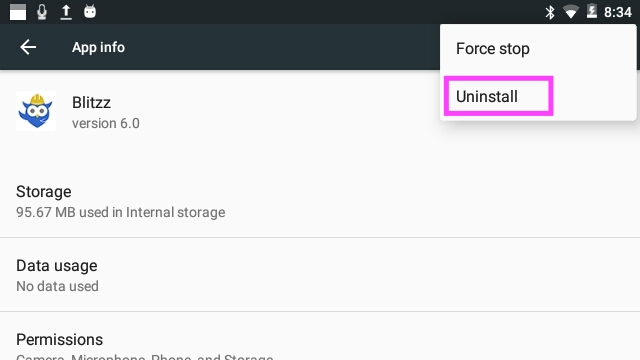
2. Open the App you would like to uninstall and click the 3 dots icon to view more options, and select Uninstall.
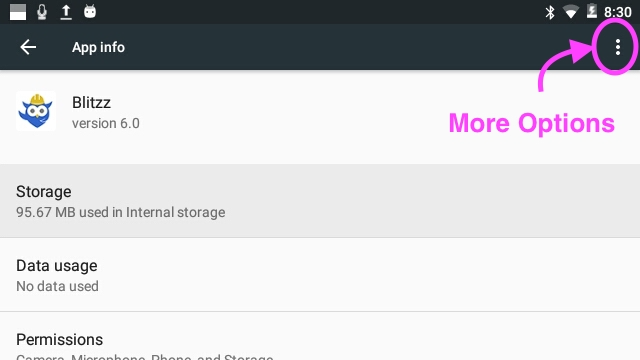
Vuzix_App_Settings.jpg


Vuzix_uninstall_app.jpg

Did you find it helpful? Yes No

Send feedback
Sorry we couldn't be helpful. Help us improve this article with your feedback.
Didn't find what you need?

Our team usually replies within one business day.

Submit a ticket